
How to stay in touch with elderly parents who live far away

Pick one easy way to stay in touch and make it a routine: the same day and time each week, on whatever app they already know. Put your name and photo on their first screen, so calling you is the easiest thing on the phone.
Between calls, a shared photo album keeps family news coming. None of this needs new technology. It needs a little setting up, once, and then a habit.
Before you start
- Ask how they like to keep in touch now. A phone call they know well can beat a video call they don't.
- Find out which apps are already on their phone, and which ones they have used before.
- If you can, do the setup in person, on a visit. If not, ask a neighbour, friend or family member who lives nearby to sit with them while you talk them through it.
Step 1. Choose one way to call
The easiest app is usually one they already have. In the ACMA's 2025 research, 32% of Australians aged 75 and over had used an app for video calls, fewer than any younger age group.
FaceTime (iPhone to iPhone): open FaceTime, tap New Call, enter the person's name or number, then tap FaceTime for video. Apple's guide: Make FaceTime calls on iPhone.
FaceTime with someone on Android: the iPhone user can create a FaceTime link and send it. The person on Android opens the link in the latest Chrome or Microsoft Edge, enters their name, taps Join, and waits to be let in. Apple's guide: Join a FaceTime call from an Android or Windows device.
WhatsApp (iPhone or Android): open the chat with the person, tap the video camera, then Call. WhatsApp's guide: How to make a video call.
Once you have chosen, stick with it. One app learned well is easier than three half-learned.
Step 2. Make it a regular time
A call at the same time each week is something to look forward to, and it is easy to remember.
- Agree a day and time that suits both of you. Think about time zones if you live in another state.
- Put it in both your calendars as a repeating event. In Google Calendar, create the event, tap "Does not repeat" under the time, and choose how often. Google's guide: Create a recurring event.
- Write it on a paper calendar by their phone as well, if that is what they use.
Across Australia, the gap isn't always the same all year. Queensland, Western Australia and the Northern Territory don't use daylight saving, so from October to April the gap to Sydney or Melbourne grows by an hour. South Australia sits half an hour behind Sydney and Melbourne all year. Put the call in both calendars in your own time zone, and the calendar works out the rest. The NSW Government's guide: Definitions of time and how time is regulated.
If you miss a call, ring back the same day if you can, so the routine holds.
Step 3. Make calling you the easiest thing on the phone
On an iPhone: in Contacts, choose your name, scroll down and tap Add to Favourites. Put the Phone app on the first screen. Apple's guide: Use contacts from the Phone app on iPhone.
On Android (Android 12 or later): touch and hold the Contacts app, tap Widgets, and drag your contact onto the Home screen. Google's guide: Add a contact widget.
Add a clear photo of your face and the name they call you, like "Sam" or "Mum".
Calling by voice: on an iPhone, they can ask Siri something like "Call Sam's mobile". On Android, they can say "Hey Google, call Sam". Try it together while you are on the phone. Guides: Apple, Make FaceTime calls and Google Assistant, make calls.
Step 4. Keep news coming between calls
- A shared photo album lets the whole family add photos for them to look at. Our guide on family photos on an older person's phone walks through it.
- A short voice message is quick to send and nice to play again. In WhatsApp, press and hold the microphone and speak. WhatsApp's guide: How to send voice messages.
- If they don't pick up a WhatsApp video call, you can leave a short video note instead.
Step 5. Know who is nearby
Living far away is easier when someone close by knows how to help.
- Swap numbers with a neighbour or local friend they trust.
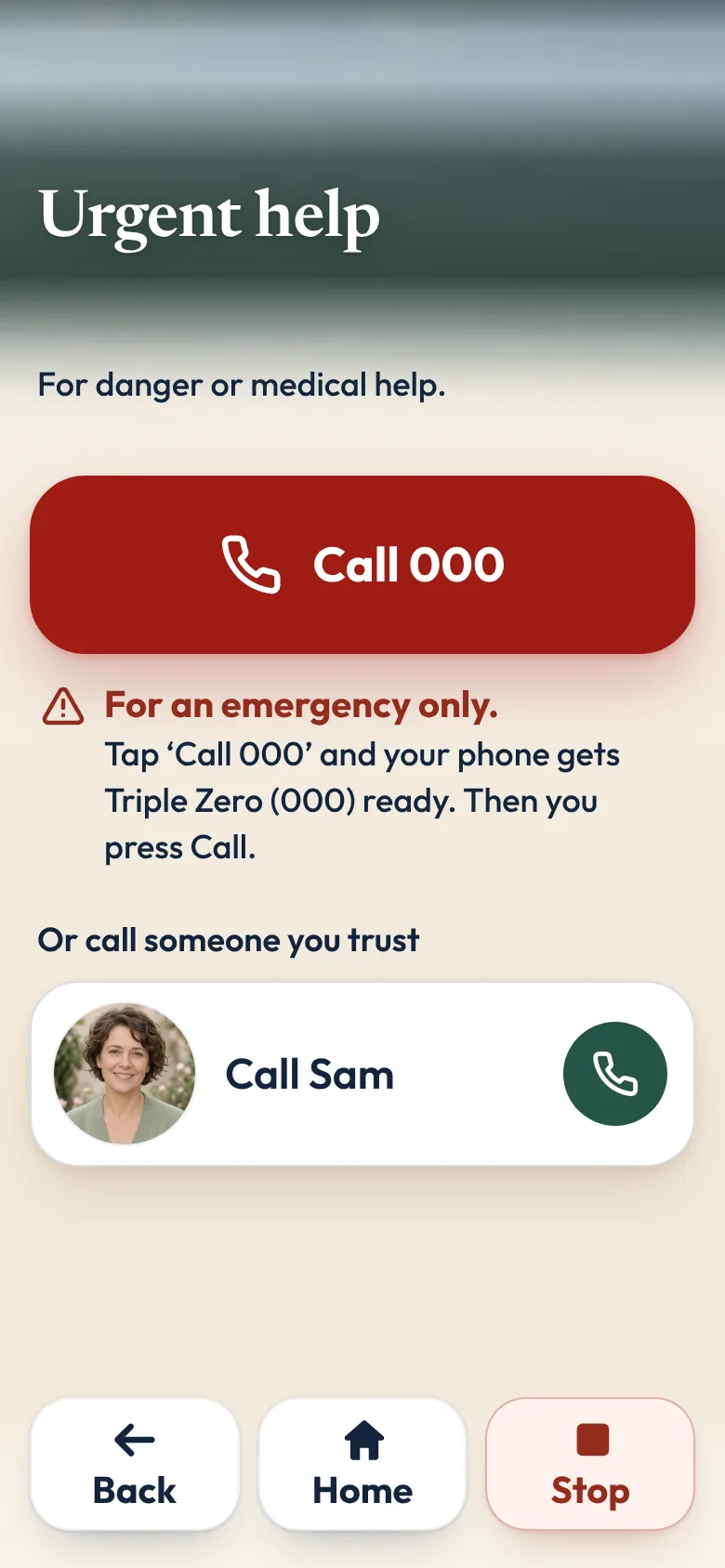
- Make sure they know how to call Triple Zero (000) from the phone's own keypad. WhatsApp says you can't reach emergency service numbers through WhatsApp. More on the government's Triple Zero page.
If you'd like calls and photos in one calm place
Sometimes the phone's own apps are enough. Sometimes a person would rather open one calm app with a few big buttons.
That is why we made Sunday Visit. Sunday Visit is a calm, Australian-made phone app for seniors and elderly people, and anyone who'd like a simpler phone, with six big buttons for gentle sounds, family photos, easy movement, quiet games, memories and calls to people they trust. Family choose what's on it in a linked second app, Sunday Visit Carer.
One of its six big buttons is Call. They tap a name, then "Call Sam", and the phone's own dialler opens with the number ready. They press Call themselves.
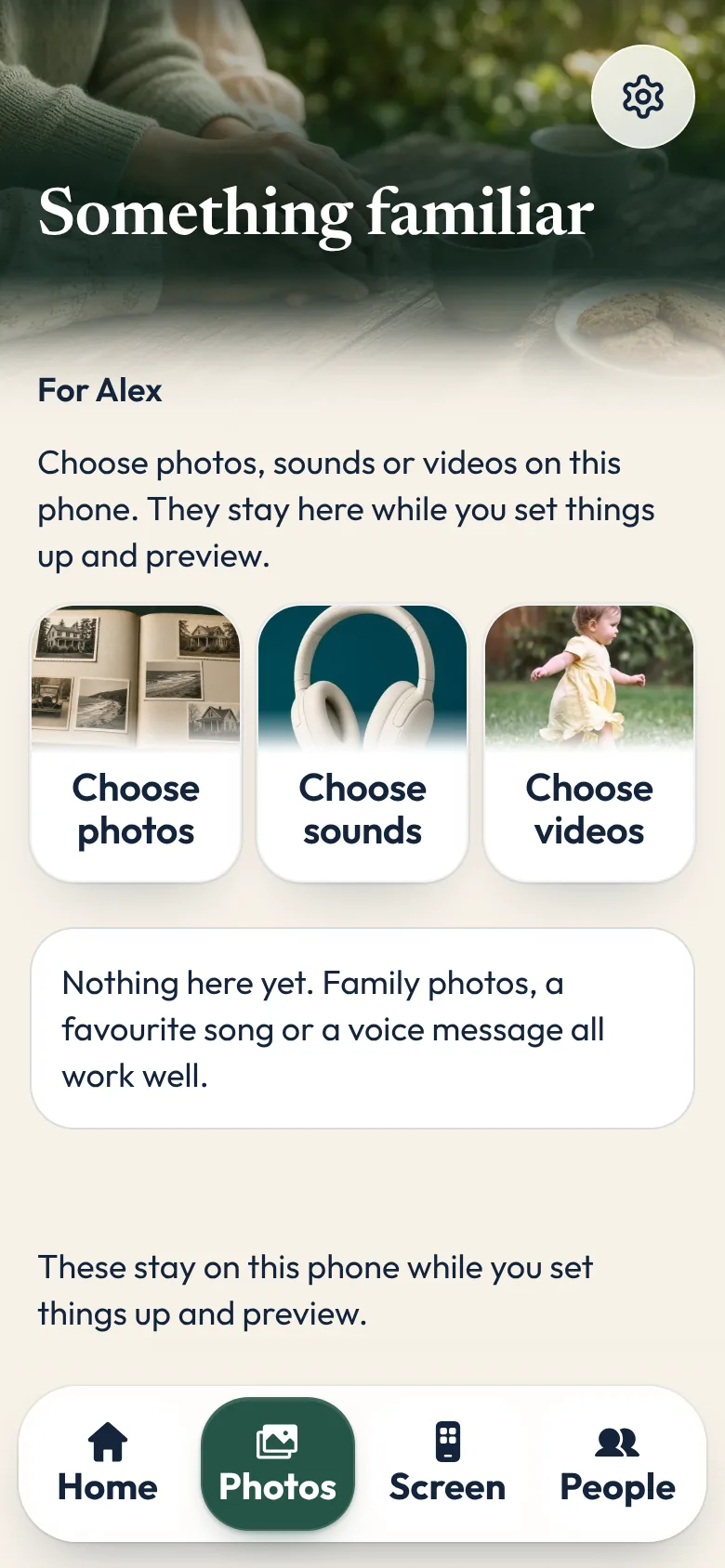
Up to four trusted people can be added, on their phone or from the family's app, Sunday Visit Carer. Album holds the photos, songs and short videos family send.
Family set these up in the Carer app, preview them and send them once the phones are linked, by invite link, QR code or 6-number code. Changes arrive when both phones are online.
Their phone decides who stays linked.
In an emergency, call Triple Zero (000), or your local emergency number outside Australia.
Both apps are on Google Play. Get Sunday Visit for their phone and Sunday Visit Carer for yours. You can find them at sundayvisit.com.au.
Questions families ask
I live interstate from my mum. How can I help her stay connected with the family?
Make one way of calling easy and regular: the same time each week, on an app she already knows. Put family names and photos on her first screen, and use a shared photo album so news keeps arriving between calls.
What is the easiest video call app for grandparents who aren't confident with technology?
Usually the one already on their phone, such as FaceTime on an iPhone, or WhatsApp. Set it up once, together, and put it on the first screen. Fewer apps means fewer things to remember.
Is there an app so Mum can call family by name?
Sunday Visit has a Call button. She taps a name, then Call, and the phone's own dialler opens. Trusted people can be set up in the Sunday Visit Carer app or on her own phone, with her. Sunday Visit is on Google Play.
Can someone on Android join a FaceTime call?
Yes. The iPhone user sends a FaceTime link, and the person on Android opens it in the latest Chrome or Microsoft Edge, then waits to be let in.
What if they don't answer?
Try again later the same day. In WhatsApp, you can leave a short video note when a video call isn't picked up. If you are worried about their safety, ask someone nearby to check on them, or call Triple Zero (000) in an emergency, or your local emergency number outside Australia.
Can my parent see words on screen during a video call?
Yes. Live Captions on iPhone 11 or later, and Live Caption on Pixel and selected Android phones, show what's being said as text during calls and videos.
More guides for families
- Share family photos on a phone, in one shared album
- How to set up a phone for an elderly parent, in 5 steps
- Apps for elderly parents in aged care: what to look for
- A simple phone app for seniors with memory changes
- Calm games and activities for seniors, with no ads
- Helping an elderly parent: first visits, one skill at a time
- How to make a phone simpler for seniors and elderly parents
- Conversation starters for a visit with someone you love
- How to make a first FaceTime call with someone you love
- Caring for elderly parents in Australia: where to start
- Loneliness in elderly people: how families can help
- Make a video call simpler for someone you love.
- Help with a parent's phone when you live in another state.
Something else? The help page has more, or email hello@sundayvisit.com.au.