
Helping an elderly parent: first visits, one skill at a time
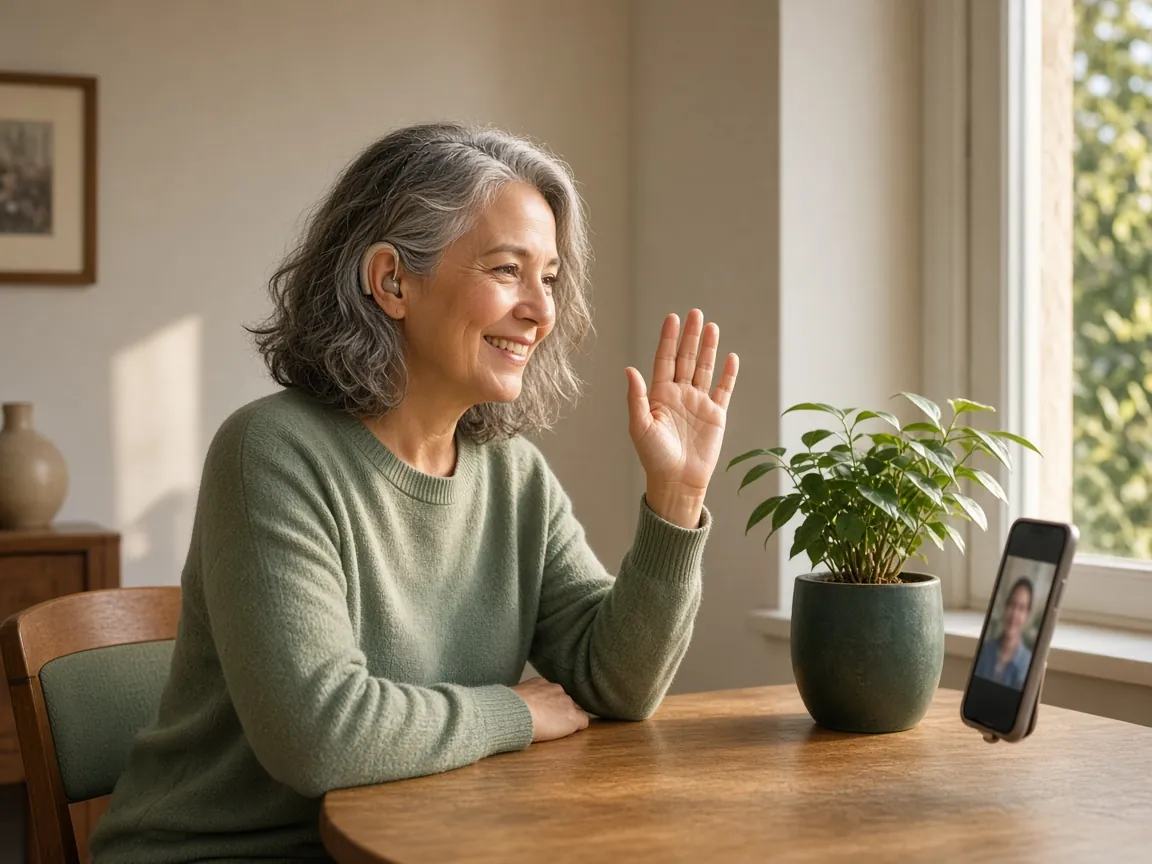
Helping an elderly parent who is new to a smartphone is less about teaching every setting, and more about helping them do one useful thing they will remember. Going online by phone is now common in later life: the ACMA says 88% of Australians aged 75 and over used a mobile phone to go online in 2025, up from 18% in 2017.
You can set up an Android phone for an elderly parent, or an iPhone, before you sit down together. Then use the first visit for the first thing they will actually do. Our guide to how to set up a phone for an elderly parent is a calm five-step checklist. For text size and a simpler home screen, see how to make a phone simpler for seniors, without buying a new one.
Before you sit down together
- Try the first thing yourself for a few minutes, on their phone if you can.
- Charge the phone, and connect it to their home Wi-Fi.
- Write down the one thing you will do today, in the words they use.
The first visit: one thing, in their hands
One thing is enough. A call to one person they trust is a good start.
Put the phone in their hands and let them do the taps. If they pause, wait before stepping in. Use the same words every time for the same action, and write those words on a card they can keep by the phone.
After the call, practise how to get back to the first screen. Then stop for the day if they are tired. You can add one familiar thing they enjoy, such as a photo, on another visit.
Calls they trust, and Triple Zero (000)
The one thing worth setting up early is how they call people they trust, and how they would call Triple Zero (000) in an emergency. If they use Sunday Visit, Call opens the phone's own dialler with the number ready, and they press Call themselves.
On an iPhone, you can add the people they would want reached in an emergency as emergency contacts in Medical ID, in the Health app. Go to the Health app, tap their picture, then tap Medical ID. Tap Get Started or Edit. Below Emergency Contacts, tap Add Emergency Contact, then add your contacts. Apple's guide: Set up and view your Medical ID.
On some Android phones, the Safety app (also called Personal Safety) lets you add emergency contacts. Open the Safety app if it is on the phone, sign in if asked, tap Your info, then Emergency contacts. These steps are not on every Android phone, and some need Android 12 or newer. Google's guide: Get help during an emergency with your Android phone. If you do not see the Safety app, add the people they call in the Phone app and keep them on the first screen.
Do not practise calling 000. Practise finding the Phone app and calling a trusted person instead. Do not practise Emergency SOS. On an iPhone, you start Emergency SOS by pressing and holding the side button and either volume button at the same time until the sliders appear and the countdown ends, then release the buttons. You can also enable iPhone to start Emergency SOS when you quickly press the side button five times: go to Settings, then Emergency SOS, then turn on Call with 5 Presses. On Android, Emergency SOS starts when you press the power button 5 times or more. Read the official guides rather than trying those shortcuts. Apple's guide: Use Emergency SOS on your iPhone. For Android, use Google's emergency guide above.
Protect the wins
If they can make one call, that is the win for the day. Adding more too soon can undo it. Come back another day for the next thing, and keep using the same words.
If a few big buttons would help
Once they have one or two things they can do, some people would rather open one calm app than hunt around the rest of the phone.
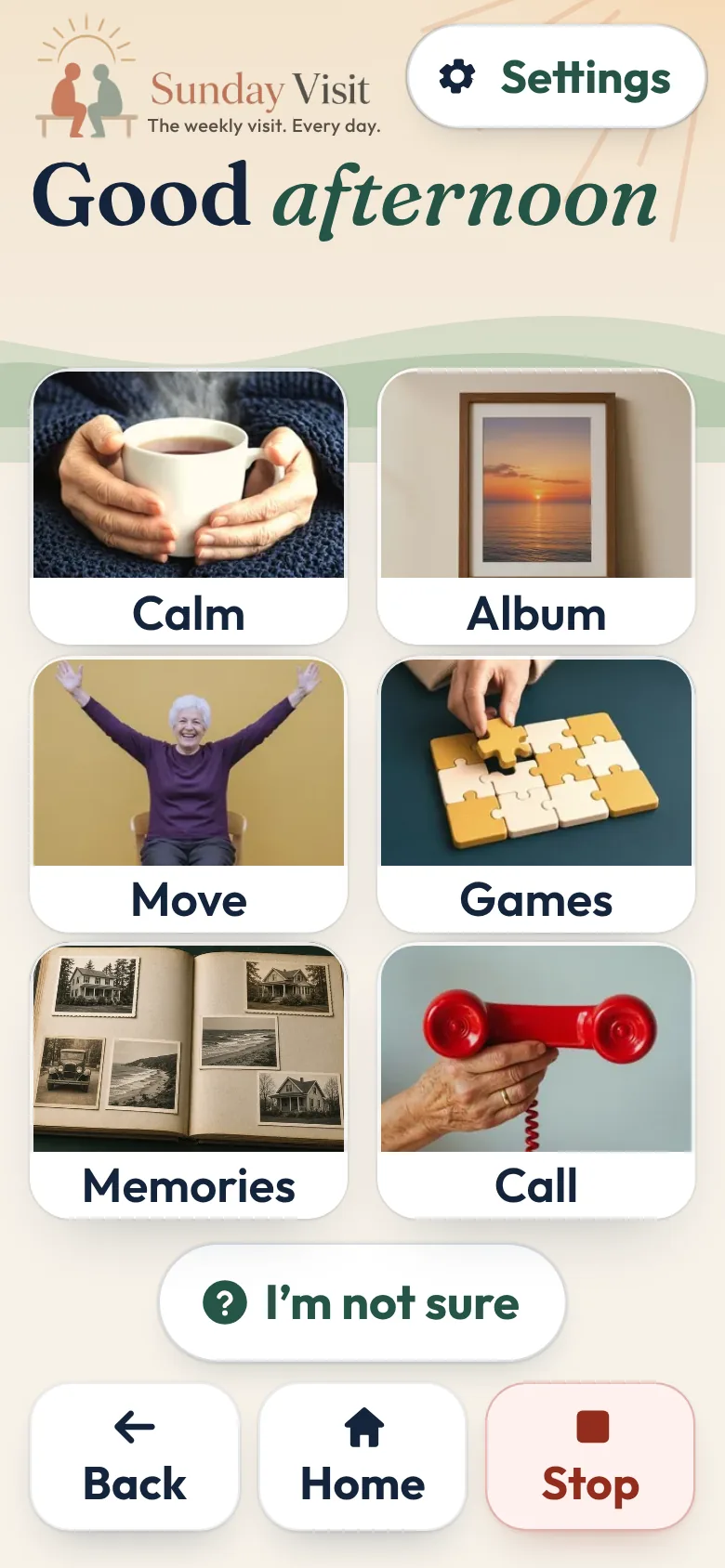
That is why we made Sunday Visit. Sunday Visit is a calm, Australian-made phone app for seniors and elderly people, with six big buttons for gentle sounds, family photos, easy movement, quiet games, memories and calls to people they trust. Family choose what's on it in a linked second app, Sunday Visit Carer.
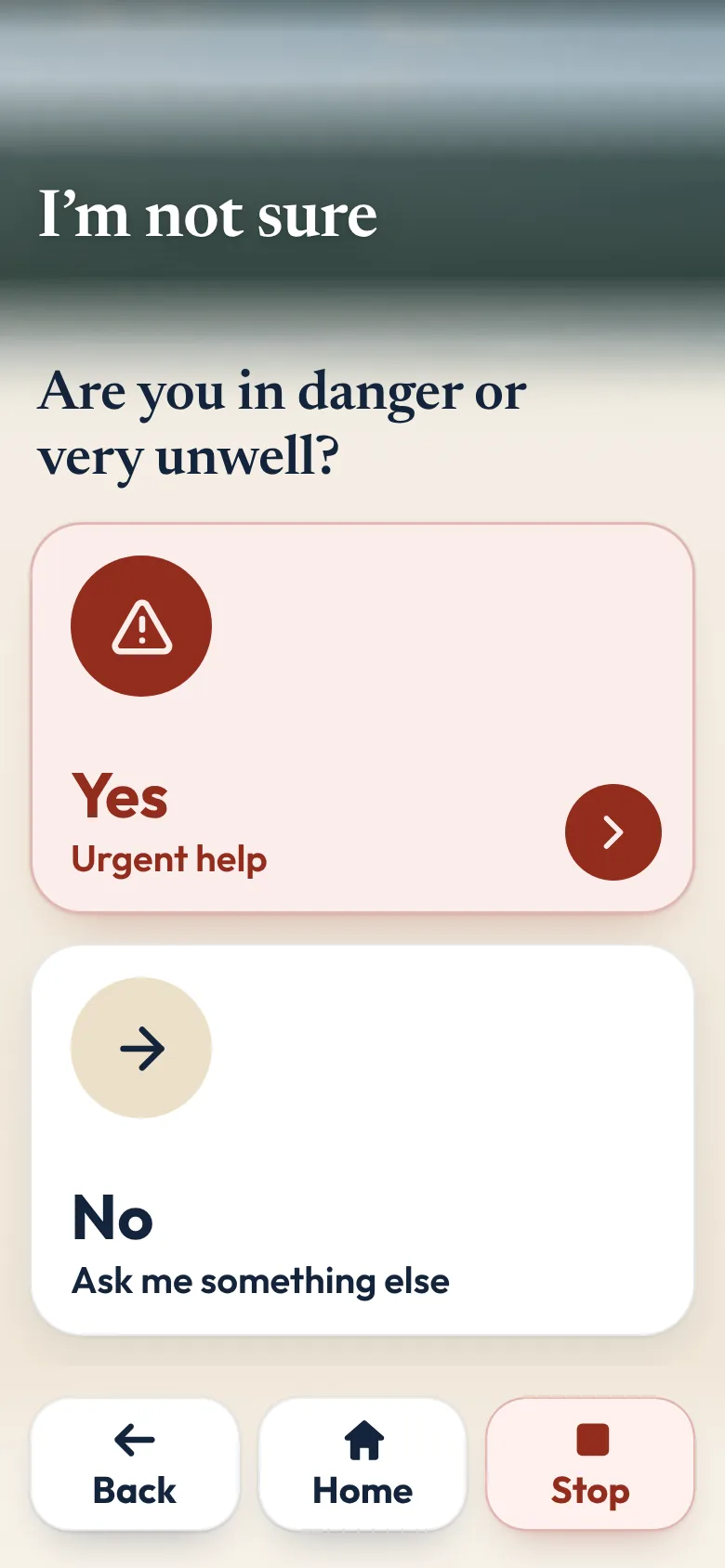
Its home screen has six big buttons: Calm, Album, Move, Games, Memories and Call, with I'm not sure underneath. Call opens the phone's own dialler.
Words follow the phone's own text size, and there are three text sizes in the app as well. Read words aloud uses the phone's own voice where the phone supports it. It is off until someone turns it on. There are no ads and no scores.
The older person doesn't need an account, an email or a password. Family can set up the buttons and people from a second app, Sunday Visit Carer, but it is optional.
In an emergency, call Triple Zero (000), or your local emergency number outside Australia.
It works on Android 8.0 or newer and iOS 15 or newer. Both apps are on Google Play. Get Sunday Visit for their phone and Sunday Visit Carer for yours. You can find them at sundayvisit.com.au.
Questions families ask
How do I help an elderly parent who is new to a smartphone?
Do one thing per visit, put the phone in their hands, and use the same words every time. A call to one person they trust is enough for the first day.
Should I set up an Android phone for an elderly parent before I give it to them?
If you can, do the accounts, updates and a simpler first screen yourself first, then sit with them for the first thing they will do. Our set-up guide walks through that, for Android phones and iPhones.
What should we practise first on a phone for elderly parents?
Practise calling one person they trust, and how to get back to the first screen. Do not practise calling Triple Zero (000).
How do we add an emergency contact on a new smartphone?
On iPhone, add them in Medical ID in the Health app. On some Android phones, add them in the Safety app. If that app is not on the phone, put the people they call in the Phone app on the first screen. In an emergency in Australia, call Triple Zero (000).
More guides for families
- How to set up a phone for an elderly parent, in 5 steps
- How to make a phone simpler for seniors and elderly parents
- How to stay in touch with elderly parents who live far away
- A simple phone app for seniors with memory changes
- Help with a parent's phone when you live in another state.
A simple phone app with six big buttons
Something else? The help page has more, or email hello@sundayvisit.com.au.