
Sunday Visit
For their phone
 Coming soon
 : Sunday Visit
 The weekly visit. Every day.
Family photos, gentle sounds, easy movement, quiet games and calls to people they trust, all close at hand. Two Australian-made apps: one for them, one for the family.

For their phone
Coming soon: Sunday Visit
For your phone
Coming soon: Sunday Visit CarerSunday Visit
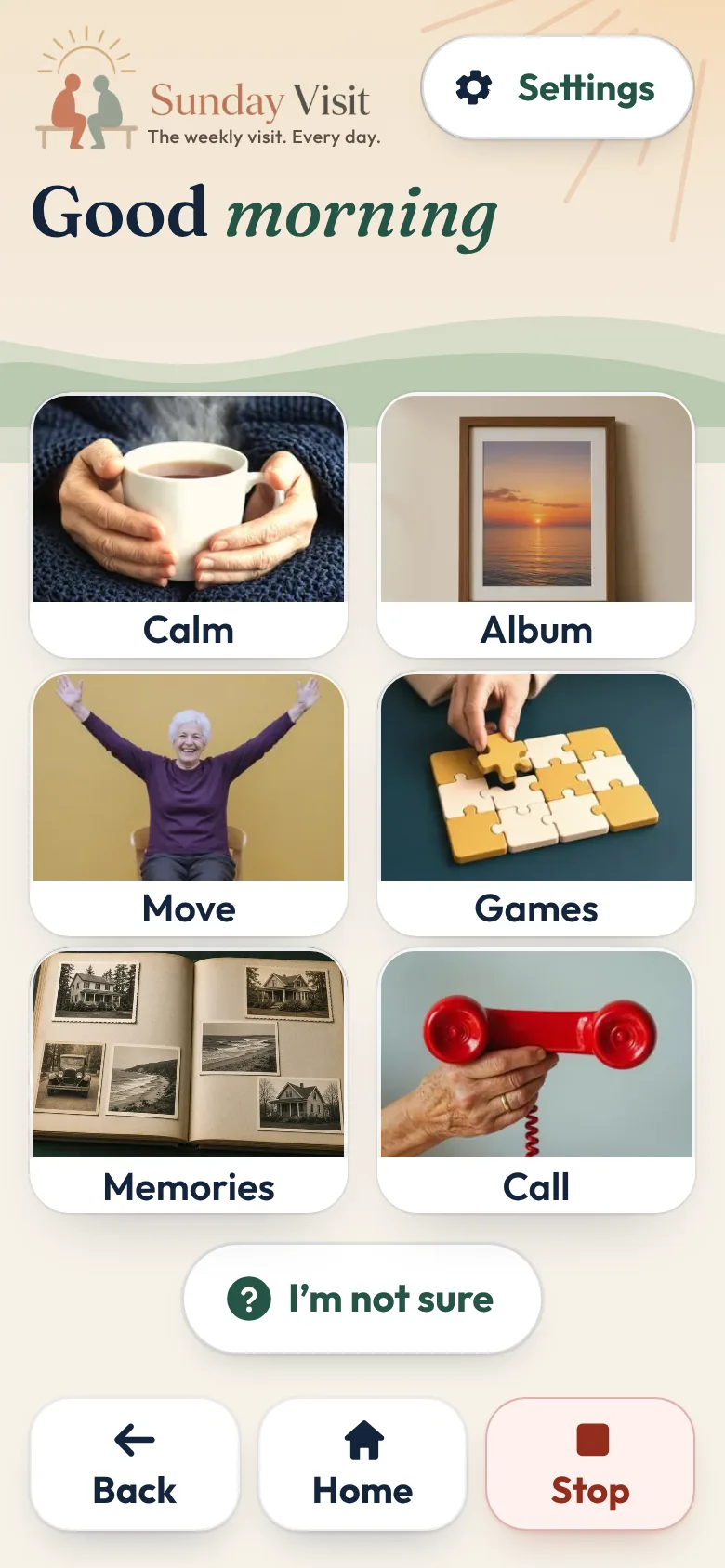
And ‘I’m not sure’ underneath, for when they don't know what they need. Choose a button to see the screen it opens.
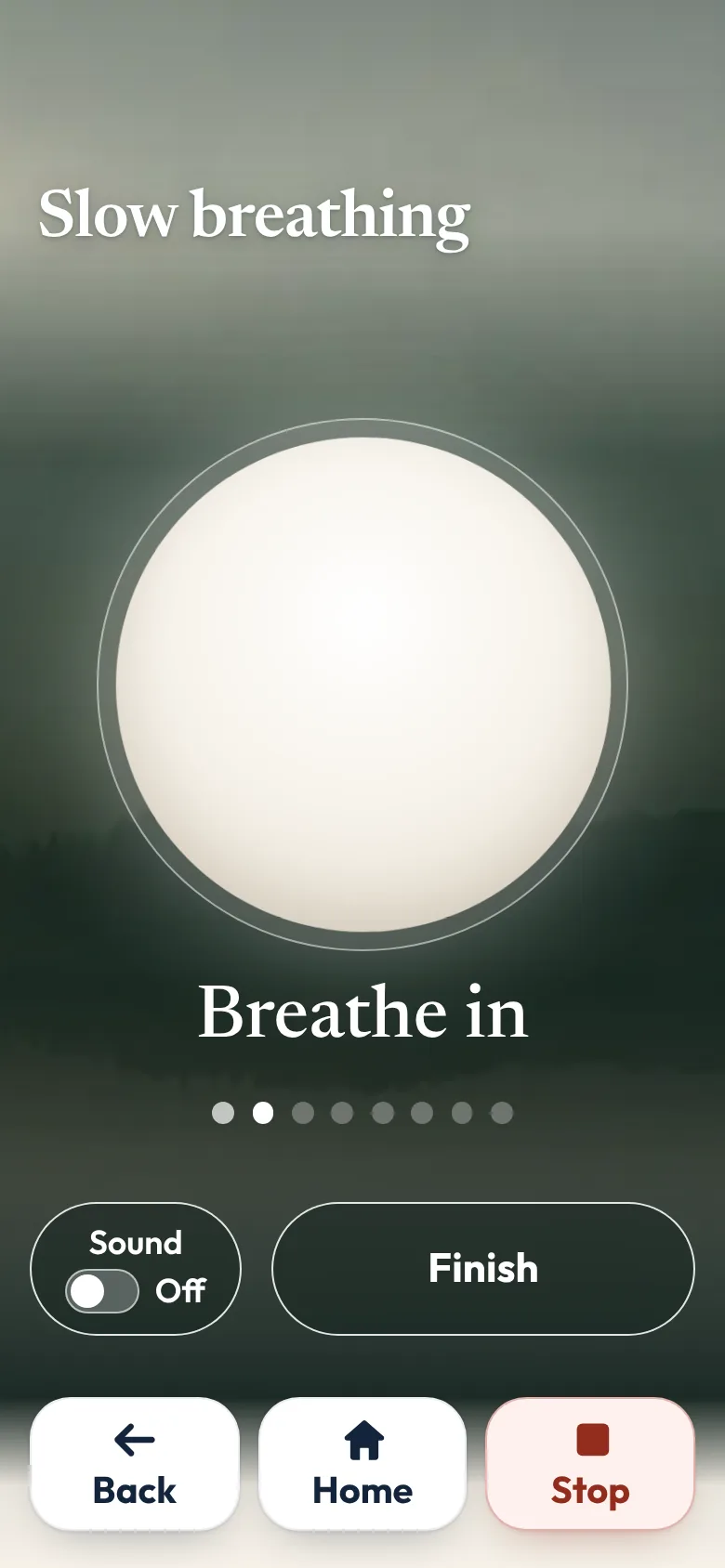
Slow breathing at a gentle or slower pace, noticing what's around them, six soft sounds such as rain and ocean waves, and a quiet garden where a flower grows wherever they tap.
The research behind this button
The family's photos, sounds and short videos in three lists, newest first. They open a photo and move between the photos with Previous and Next.
The research behind this button
For practical steps, see Share family photos on a phone, in one shared album.
Gentle movement in a chair or lying down, or Relax your body, a slow body scan from feet to face. Only if comfortable. Stop if sore or dizzy.
Picture puzzle, Matching cards, Follow the lights, Finish the saying, Word search and Little crossword. No scores, no timers, and a miss is never marked wrong.
The research behind this button
For calm games and activities on a phone, see Calm games and activities for seniors, with no ads.
Questions to share with a visitor, or to think about quietly, from growing up and home to music, food and celebrations. They can skip any.
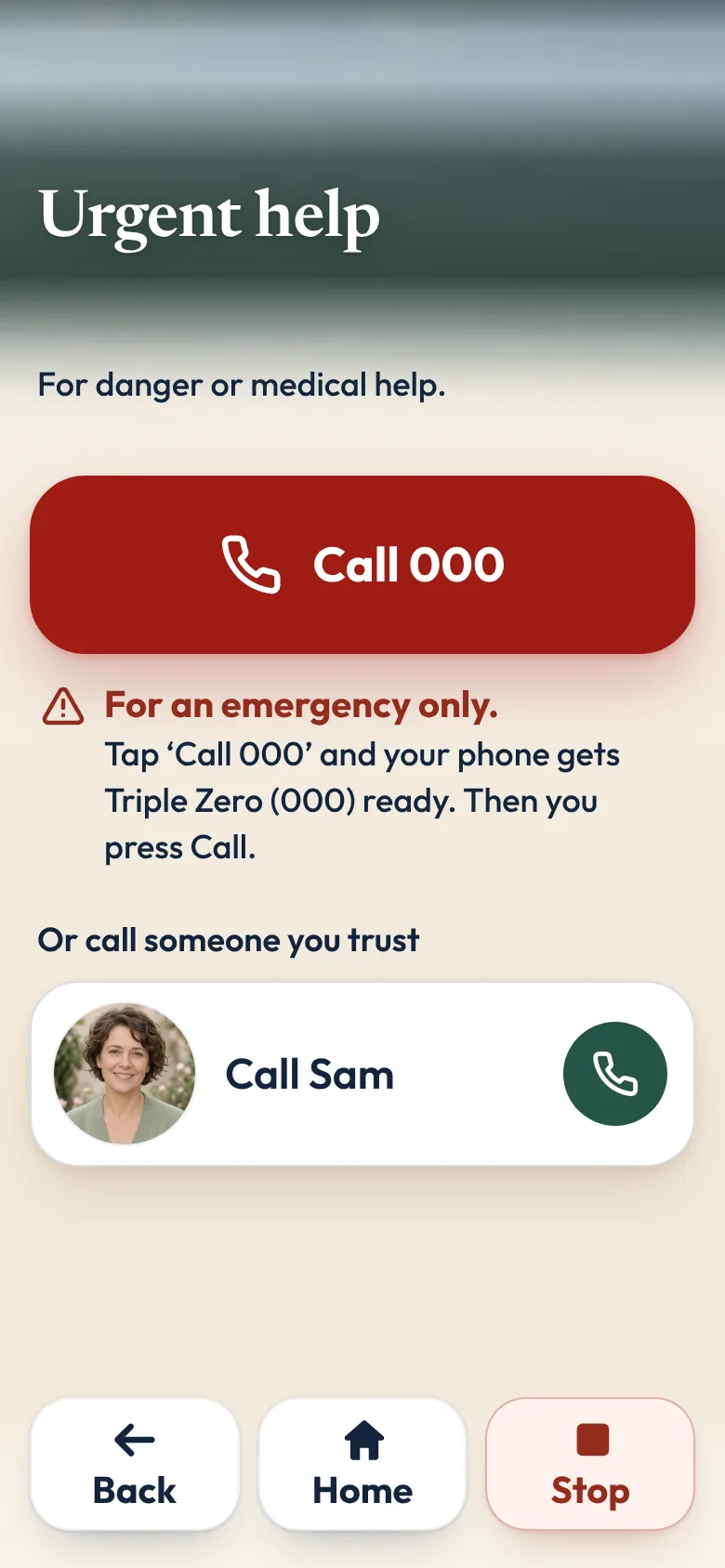
The people they trust, by name. They tap a name, then “Call Sam”, and the phone's own dialler opens with the number ready. They press Call themselves.
The research behind this button
For practical steps when you live far away, see How to stay in touch with elderly parents who live far away.
For the moments they don't know what they need. It asks a few yes-or-no questions, such as “Would you like to feel calmer?”, and a Yes takes them there.
Sunday Visit Carer
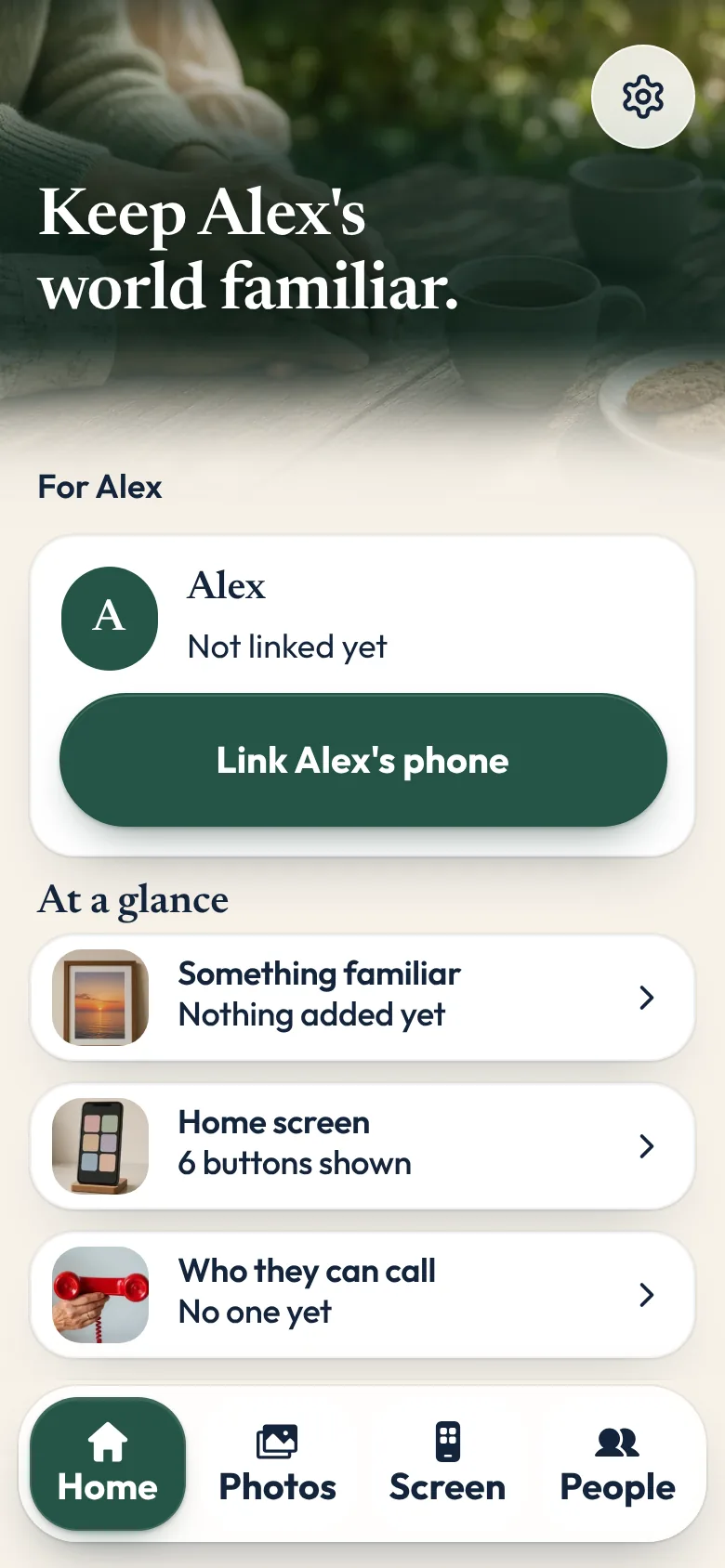
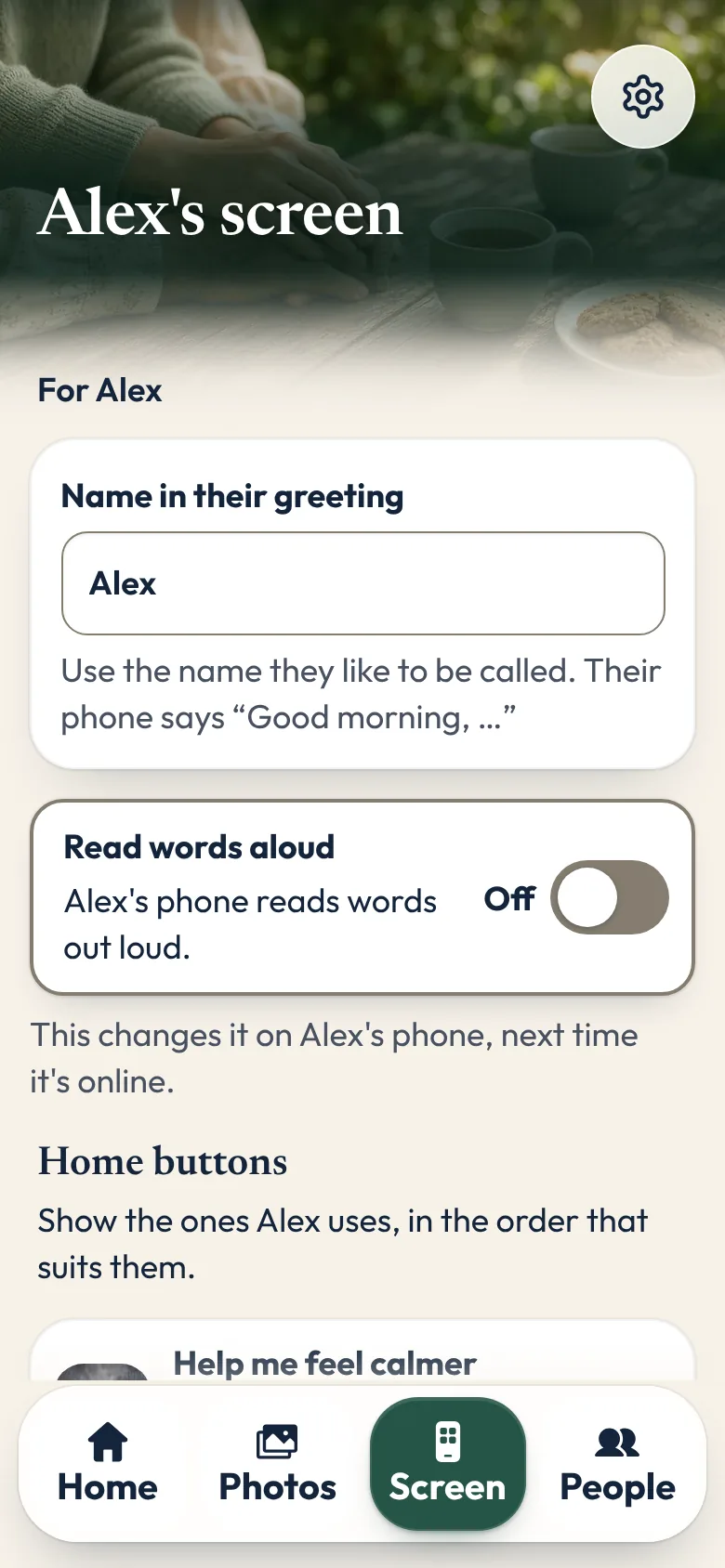
Link the two phones, then set up their screen: the name in their greeting, which buttons show, the people they can call, and the family's photos, songs and videos.
Sunday Visit goes on their phone. Sunday Visit Carer goes on yours.
Their phone sends you an invite link, shows a QR code, or shows a 6-number code to read out over a call.
Choose the buttons, add the people they can call, and add photos, songs and short videos, named the way they'd say it.
You see a preview of their Home screen first. Once the phones are linked, your changes reach their phone when both phones are online.
Their phone decides who stays linked. They can see everyone linked to it, and remove anyone.
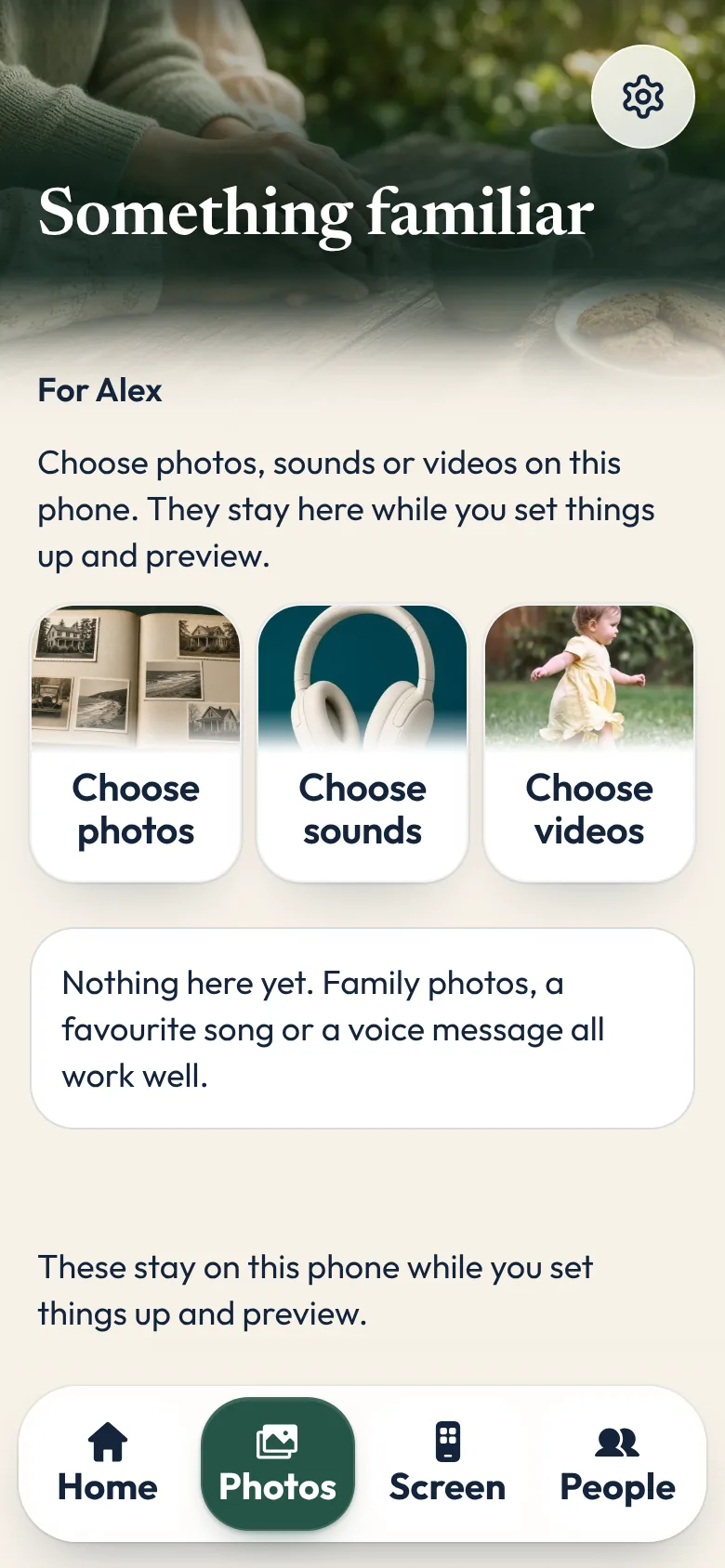
Sunday Visit is a calm, Australian-made phone app for anyone who finds a busy phone hard work. A second app, Sunday Visit Carer, lets family or staff choose what’s on it, if they’d like to. Sunday Visit also works on its own.
Sunday Visit
This is the app itself, running in your browser. Tap the big buttons to see what they do.
Every time it opens, Sunday Visit says “Take your time.” Six big buttons bring photos, gentle activities and trusted calls close at hand.

Every button has room around it, so a shaky hand still lands where it meant to.
Three text sizes, Standard, Large and Larger, make every word bigger. With Read words aloud on, the phone's own voice reads the screen.
No scores, no countdowns, no ads, and nothing ever marked wrong.
The same three buttons wait at the bottom of every screen, so there's always a way out.
The research
For every button, our research page shows what the studies found, how strong the evidence is, and what it doesn’t show.
Read the research
Bigger text, fewer apps, and the people they call — on the phone they already have.

Look for large text, no ads and very few choices. Ask the home first.

Pick one easy way to stay in touch, and make it a weekly routine.
The App Store and Google Play show each price in your own currency before you buy.
For their phone
Pay once
All future updates to the Sunday Visit app included. No ads.
No account to create.
For your phone
Monthly
Cancel any time in your App Store or Google Play settings.
The Carer app is optional. Sunday Visit works on its own.
Something else? The help page has more, or email hello@sundayvisit.com.au.
Sunday Visit is a calm, Australian-made phone app for seniors and anyone who wants a simpler phone, with six big buttons for gentle sounds, family photos, easy movement, quiet games, Memories and calls to people they trust. Family choose what's on it in a linked second app, Sunday Visit Carer.
No. It's a calm, simple phone app. It doesn't diagnose or treat anything, and it isn't an emergency service. In an emergency, call Triple Zero (000) straight away, or your local emergency number outside Australia.
No. Sunday Visit opens on a greeting and six big buttons. There's no account, no password and no email address. Family can sit with them for the first few minutes, but after that there's nothing to manage.
Yes. Sunday Visit works on its own, and family can add the people they can call on the phone itself, with them. The Carer app adds the family's photos, sounds and videos, and sets up their home screen. Once the phones are linked, changes reach their phone when both phones are online.
No. The Carer app shows what you set up and whether it has arrived. It never shows what they tap, play or look at.
Tapping a call button opens the phone’s own dialler with the number ready. The call goes through the phone and the phone company.
Android phones running Android 8.0 or newer, and iPhones running iOS 15 or newer. Each phone needs its own app: Sunday Visit on theirs, Sunday Visit Carer on yours.
Both apps are on Google Play. Sunday Visit is at https://play.google.com/store/apps/details?id=com.sundayvisit.elder. Sunday Visit Carer is at https://play.google.com/store/apps/details?id=com.sundayvisit.carer. Get the apps.
Yes, please. Email hello@sundayvisit.com.au and tell us a little about the people you care for.
An email now and then, with tips for calm visits and news about the apps. No spam, unsubscribe anytime. Read our privacy note.