
Calm games and activities for seniors, with no ads

Look for games for seniors with no ads, no timers and no scores, so nothing rushes or tests the person. Good choices are gentle sounds such as rain or ocean waves, simple card or matching games, a short breathing guide and gentle movement in a chair.
Try one or two together first, and keep the ones they like on the first screen. A few calm things they enjoy are worth more than a screen full of apps.
Before you start
- Ask what they enjoy away from the phone. Cards, crosswords, gardening, music and birds are all good starting points.
- Think about the time of day. Something calming suits the evening. A game might suit the afternoon.
- Plan to try each thing together, once, before leaving them to it.
Step 1. Check for ads before you install
Ads can pop up in the middle of a game and lead somewhere confusing. On Google Play, apps that contain ads show a "Contains ads" label on their store page. Google's developer guide: Prepare your app for review.
That label doesn't cover in-app purchases or upgrade offers, so read the page for those too. On any phone, open the app yourself first and play for a few minutes. If an ad, a countdown or a "buy more" screen appears, it is probably not the right one.
Step 2. Gentle sounds
Some people find soft, steady sounds make a quiet room feel calmer.
On an iPhone: Background Sounds is built in. Go to Settings, then Accessibility, then Audio & Visual, then Background Sounds, and turn it on. Tap a sound to choose another, such as ocean or rain, and drag the slider for volume. You can set a timer so the sound stops on its own. Apple's guide: Play background sounds on iPhone.
On Android: look for a sounds app with a large play button and no "Contains ads" label. A playlist of favourite music works too.
Start the volume low. Show them how to stop it.
Step 3. Games with nothing to lose
The best games for later life are quiet ones. Nothing is timed, nothing flashes and nothing says "wrong".
- Matching cards, simple jigsaws, word searches and gentle patterns are good starting points.
- Choose games with big pieces and very few buttons.
- Avoid games with lives, countdowns or leaderboards. They turn a calm moment into a test.
If someone is living with memory changes, choose games where any answer is fine. Play alongside them rather than watching over them. The aim is enjoyment, not a score.
Step 4. A short breathing guide
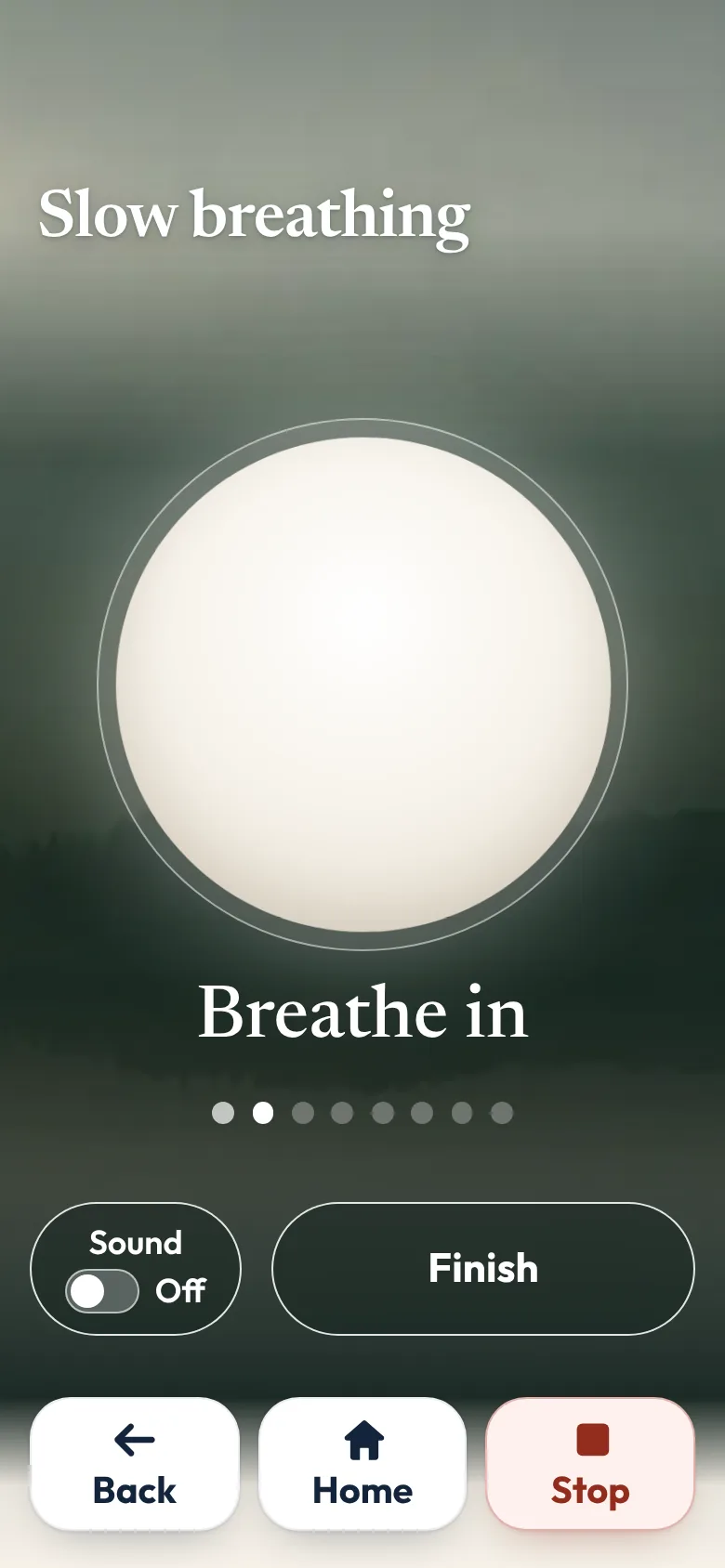
Some people like a slow breathing guide when they feel unsettled. Look for one with a simple shape that grows and shrinks, and no talking or a calm voice.
- Keep it short, a minute or two.
- Do it together the first time, breathing at the same pace.
- If breathing exercises make them uncomfortable, stop. Not everyone likes them.
Step 5. Gentle movement, seated or lying down
Gentle movement can be part of a calm day. Choose something seated, slow and short, with clear advice on when to stop.
In Australia, Safe Exercise at Home was created by Australian physiotherapists to support older people to stay active safely at home. It says to talk to your doctor or a health professional before you start if you have had two or more falls in the past 12 months, a recent heart problem, shortness of breath, chronic pain or another serious medical condition. It also says to stop straight away if you feel dizzy, get chest pain or feel unwell. See Staying safe while exercising.
For a new exercise plan, talk to a GP or physiotherapist first.
If one calm app would help
Sometimes a few separate apps work well. Sometimes a person would rather open one calm app where everything is gentle.
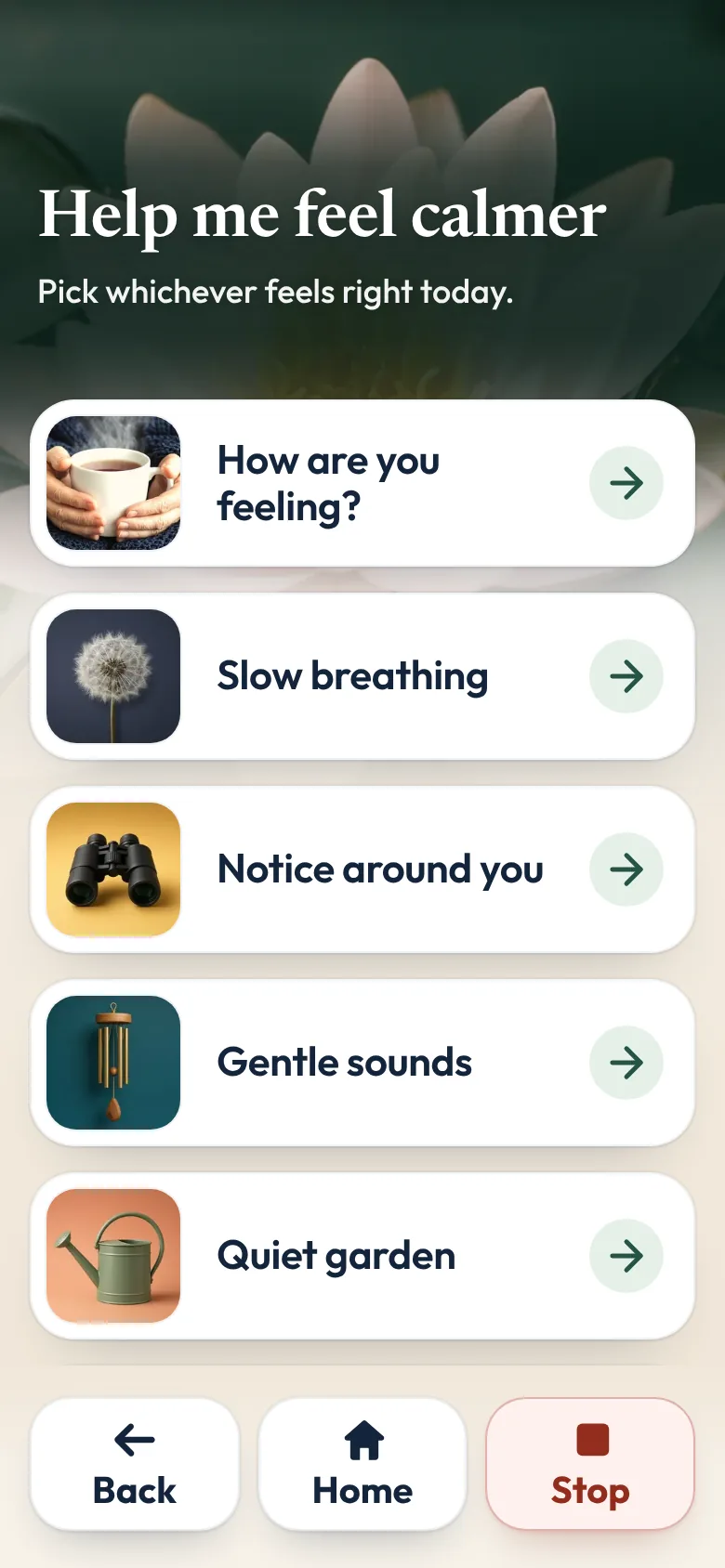
That is why we made Sunday Visit. Sunday Visit is a calm, Australian-made phone app for seniors and elderly people, with six big buttons for gentle sounds, family photos, easy movement, quiet games, memories and calls to people they trust.
Family choose what's on it in a linked second app, Sunday Visit Carer. It has no scores, no countdowns, no ads, and nothing ever marked wrong.
Calm has Slow breathing at a gentle or slower pace, a way to notice what's around them, and six gentle sounds: Gentle rain, Flowing river, Fireside, Ocean waves, Frogs and crickets, and Birdsong. There is also a quiet garden where a flower grows wherever they tap.
Games has Picture puzzle, Matching cards, Follow the lights, Finish the saying, Word search and Little crossword. They are for calm enjoyment.
Move has In a chair, Lying down and Relax your body, a slow body scan. "Only if comfortable. Stop if sore or dizzy."
In an emergency, call Triple Zero (000), or your local emergency number outside Australia.
Both apps are on Google Play. Get Sunday Visit for their phone and Sunday Visit Carer for yours. You can find them at sundayvisit.com.au.
Questions families ask
What are good brain games for older people on a phone or tablet, with no ads?
Choose games with no ads, no timers and no fail screens, such as matching cards, word puzzles or simple patterns. Sunday Visit's Games are Picture puzzle, Matching cards, Follow the lights, Finish the saying, Word search and Little crossword, with no scores or timers, and a miss is never marked wrong. Sunday Visit is on Google Play.
Are there word games for seniors, puzzles for seniors, or games for elderly people, with no ads?
Look for word games for seniors, puzzles for seniors, and games for elderly people and activities for elderly people at home, that have no ads, no timers and no scores. Sunday Visit's Games include Word search and Picture puzzle, plus Matching cards, Follow the lights and Finish the saying. They are for calm enjoyment. Sunday Visit is on Google Play.
Is there an easy app for seniors to relax and listen to calming sounds?
On an iPhone, Background Sounds is built in, under Settings, Accessibility, Audio & Visual. On any phone, choose a sounds app with a large play button and no ads. In Sunday Visit, the gentle sounds are Gentle rain, Flowing river, Fireside, Ocean waves, Frogs and crickets, and Birdsong, and Calm also has Slow breathing.
Is there a gentle exercise app for older people at home?
Look for short, seated options with clear advice on when to stop. Safe Exercise at Home was made by Australian physiotherapists for older people. Sunday Visit's Move has In a chair, Lying down and Relax your body, only if comfortable, and they stop if sore or dizzy. For a new exercise plan, talk to a GP or physiotherapist first.
What can I put on Grandad's phone so he has something to do?
Start with what he enjoys away from the phone, then find a calm version of it, such as a card game, his favourite music or birdsong. Keep two or three things on his first screen and try each one with him first.
Are brain games a memory test?
They shouldn't feel like one. Choose games where any answer is fine and nothing is scored. Sunday Visit's games are for calm enjoyment.
More guides for families
- How to make a phone simpler for seniors and elderly parents
- Share family photos on a phone, in one shared album
- Apps for elderly parents in aged care: what to look for
- Chair exercises for seniors: 7 gentle seated exercises
- Activities for people with dementia at home
- How to set up a phone for an elderly parent, in 5 steps
- Reminiscence at home: photos, familiar songs and stories
- Large print word search puzzles to print: 10 Aussie themes
- Large print crossword for seniors: 8 Aussie puzzles to print
- Large print sudoku for seniors: 12 puzzles to print
- Large print colouring pages for seniors: 8 designs to print
Something else? The help page has more, or email hello@sundayvisit.com.au.