
Your phone, made simple.
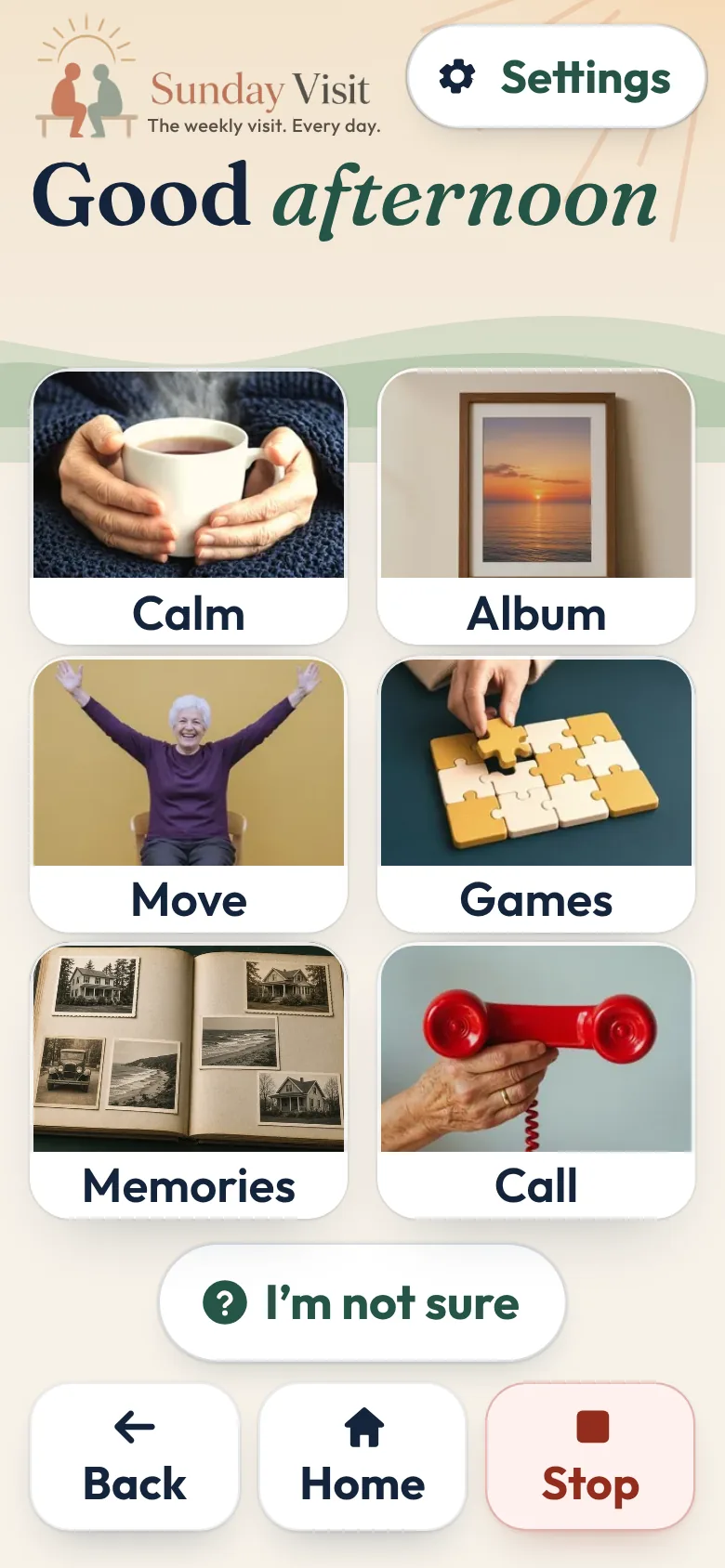
Sunday Visit makes a phone simple and easy to use. It's for anyone who finds a busy phone hard work, including people with disability, people with low vision, and seniors.
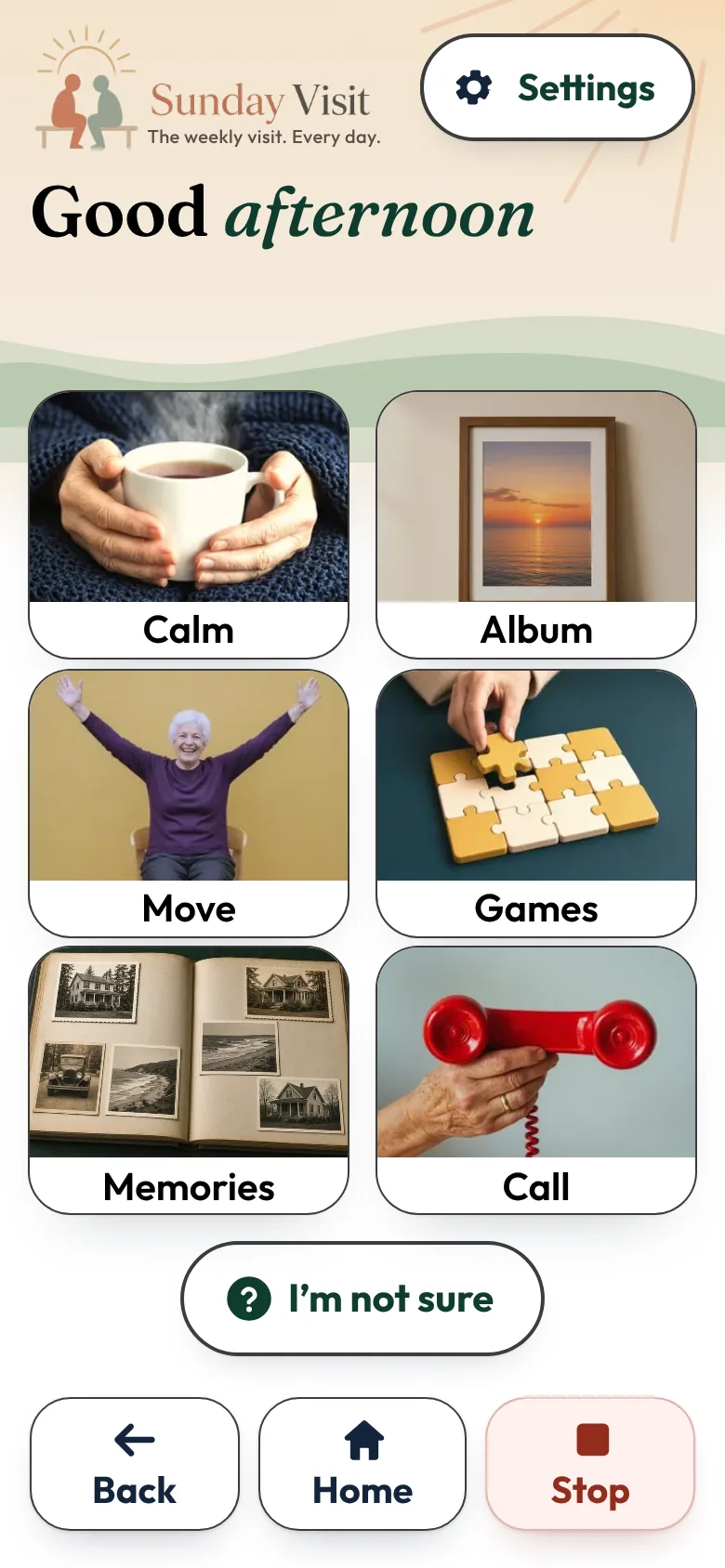
Everything sits on six big photo buttons with large, plain words. Open any button, and Back, Home and Stop wait at the bottom. Press Stop, and everything goes quiet, right where you are.
Get Sunday Visit
It's an app for the phone you have, with Android 8.0 or newer, or iOS 15 or newer.
Sunday Visit is on Google Play. Not on the App Store for iPhone yet.

Google Play and the Google Play logo are trademarks of Google LLC.
Big buttons, large words and calm moments, for anyone.
The words in the video
- Your phone, made simple.
- Not sure? Just answer yes or no. Sunday Visit takes you to the right place.
- Calming sounds and slow breathing. Gentle sounds, a quiet garden and more.
- Make the words bigger. Choose Standard, Large or Larger text.
- Big buttons, large words and calm moments, for anyone.
- The weekly visit. Every day.
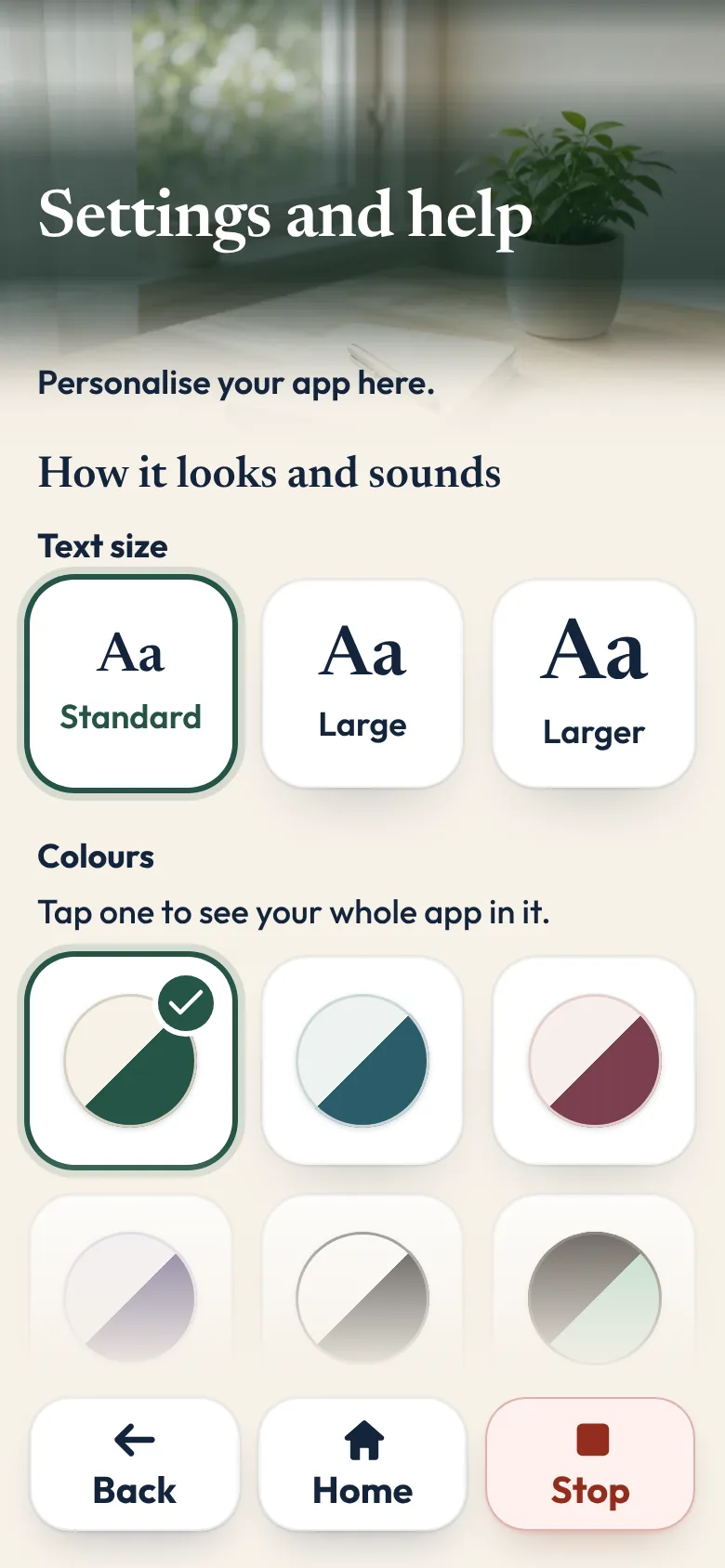
Easy to see, hear and use
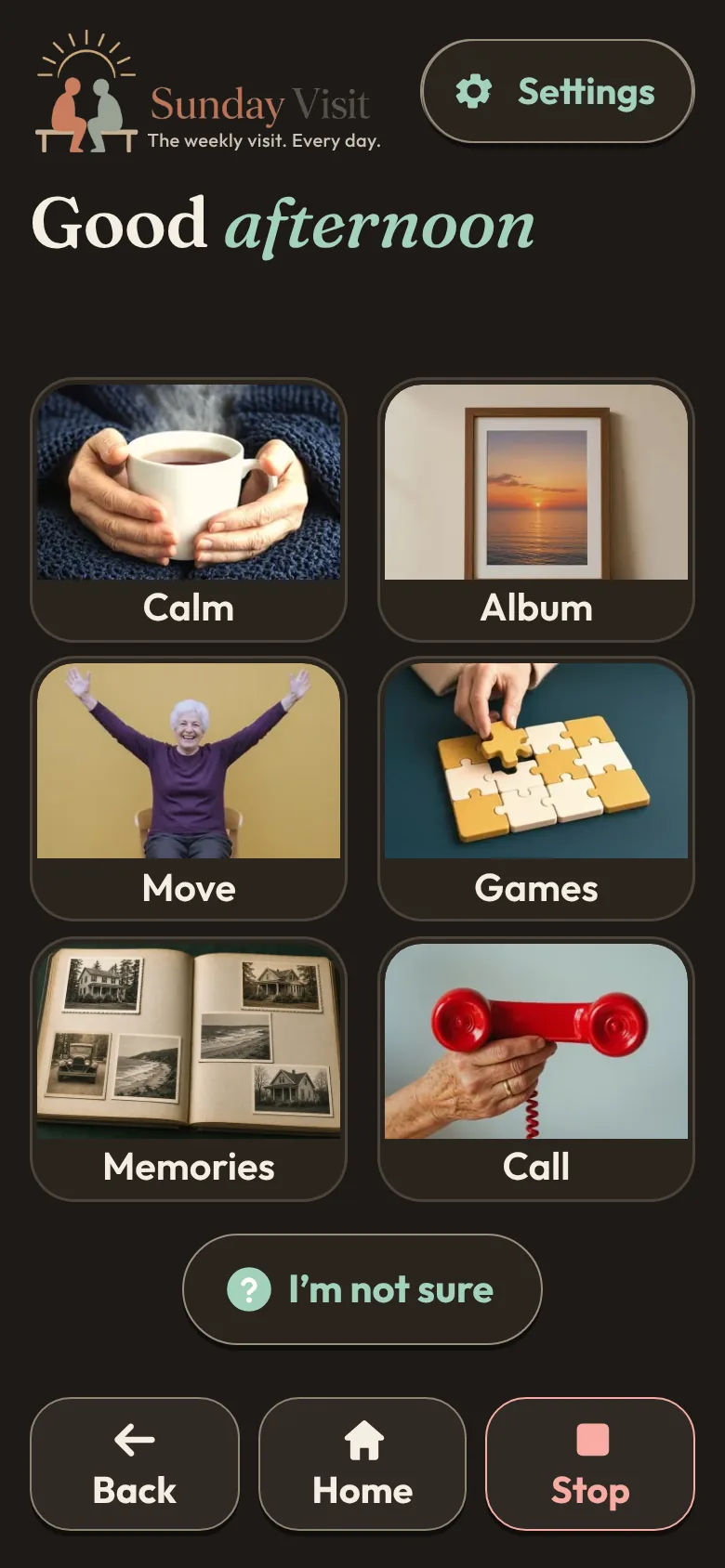
Choose Standard, Large or Larger text. Choose your colours: Cream and green, Blue-green, Rose or Lavender, or Strong contrast and Dark for extra clarity.
Turn on Read words aloud, and the phone's own built-in voice reads out the screen you're on, where the phone supports it. Pick a reading speed that suits you.
Every button is big and easy to press.
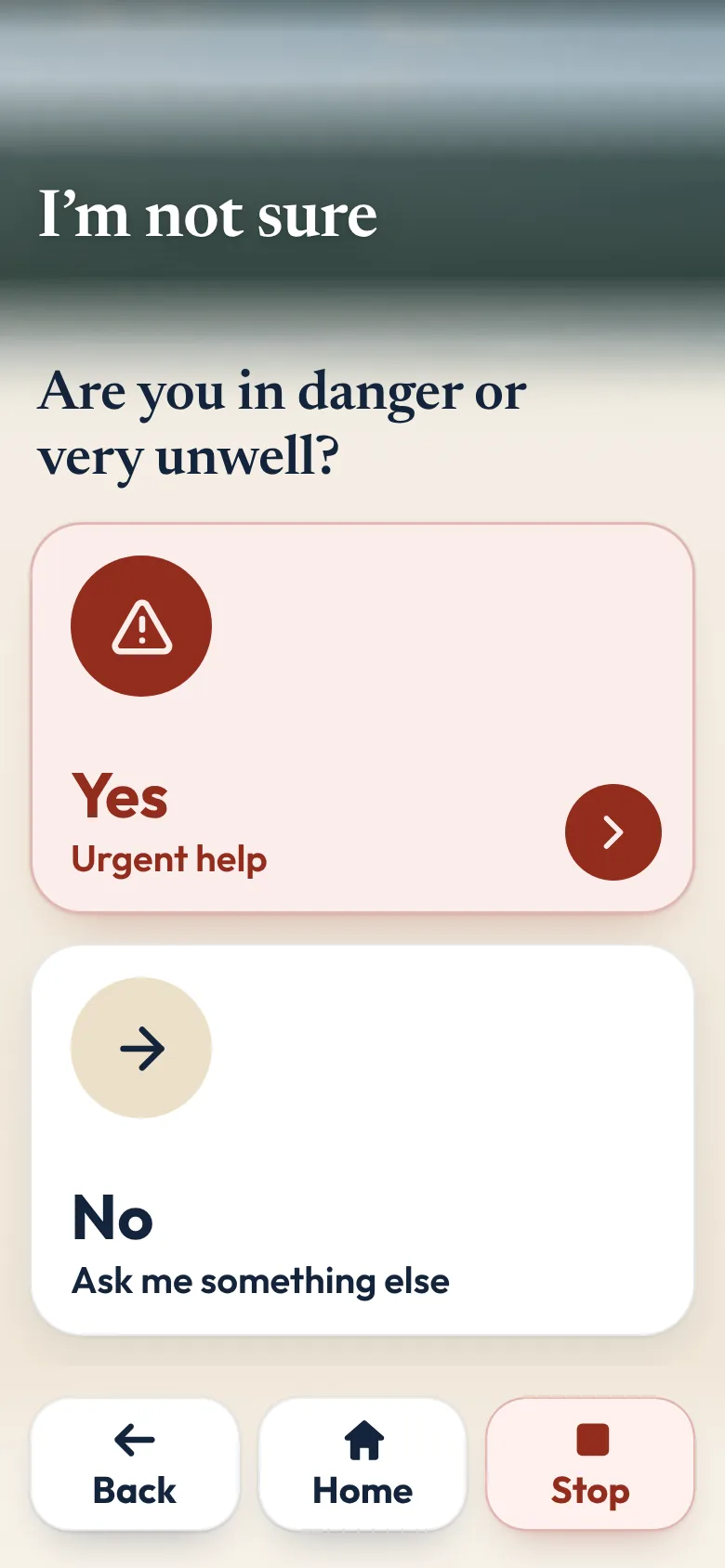
Not sure? Just answer yes or no.
Press I'm not sure, answer a simple yes or no question or two, and Sunday Visit takes you to the right place.
Six big buttons on the home screen.
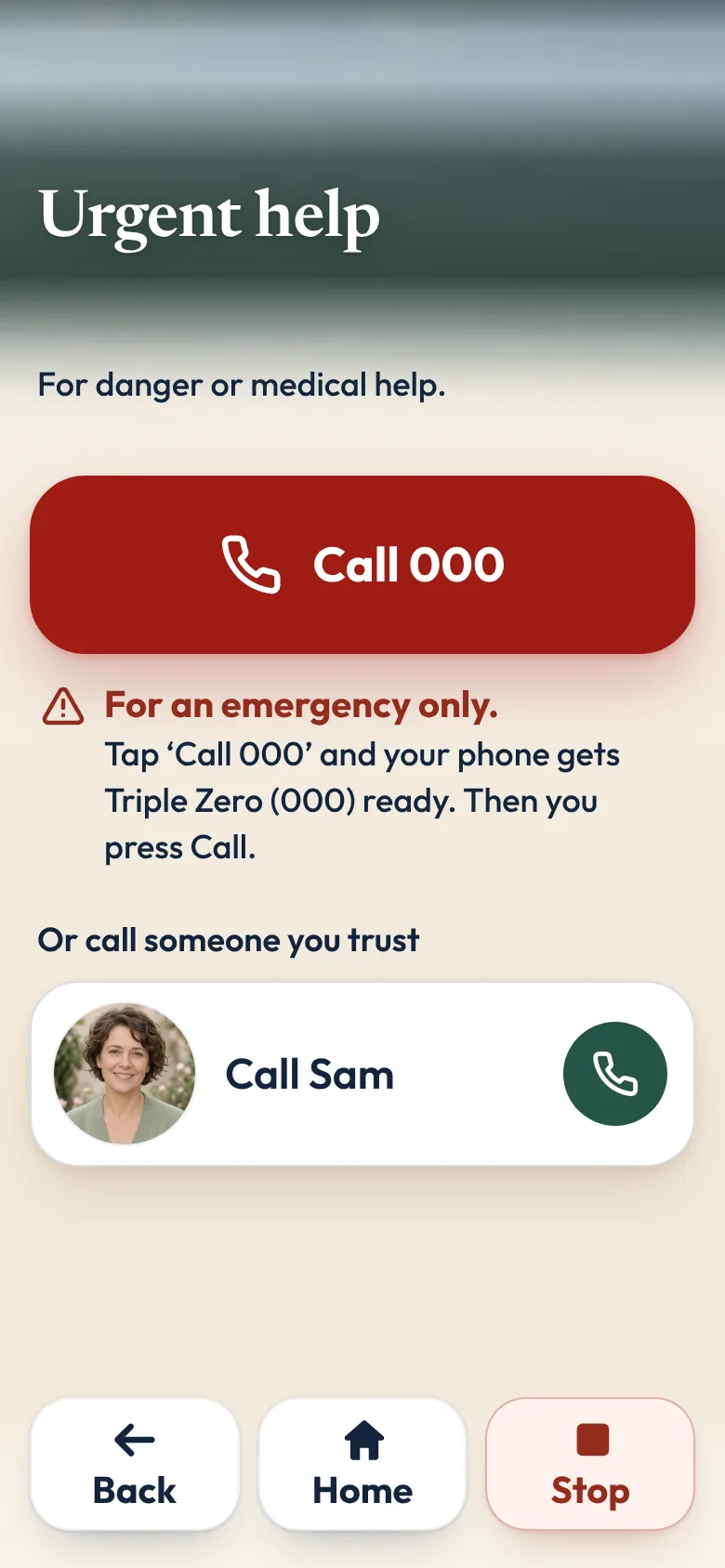
Urgent help
For danger or medical help, Urgent help gets your phone ready to call your local emergency number, Triple Zero (000) in Australia, or someone you trust. The call only starts when you press Call. It's always in Call, and family can add it to Home too.
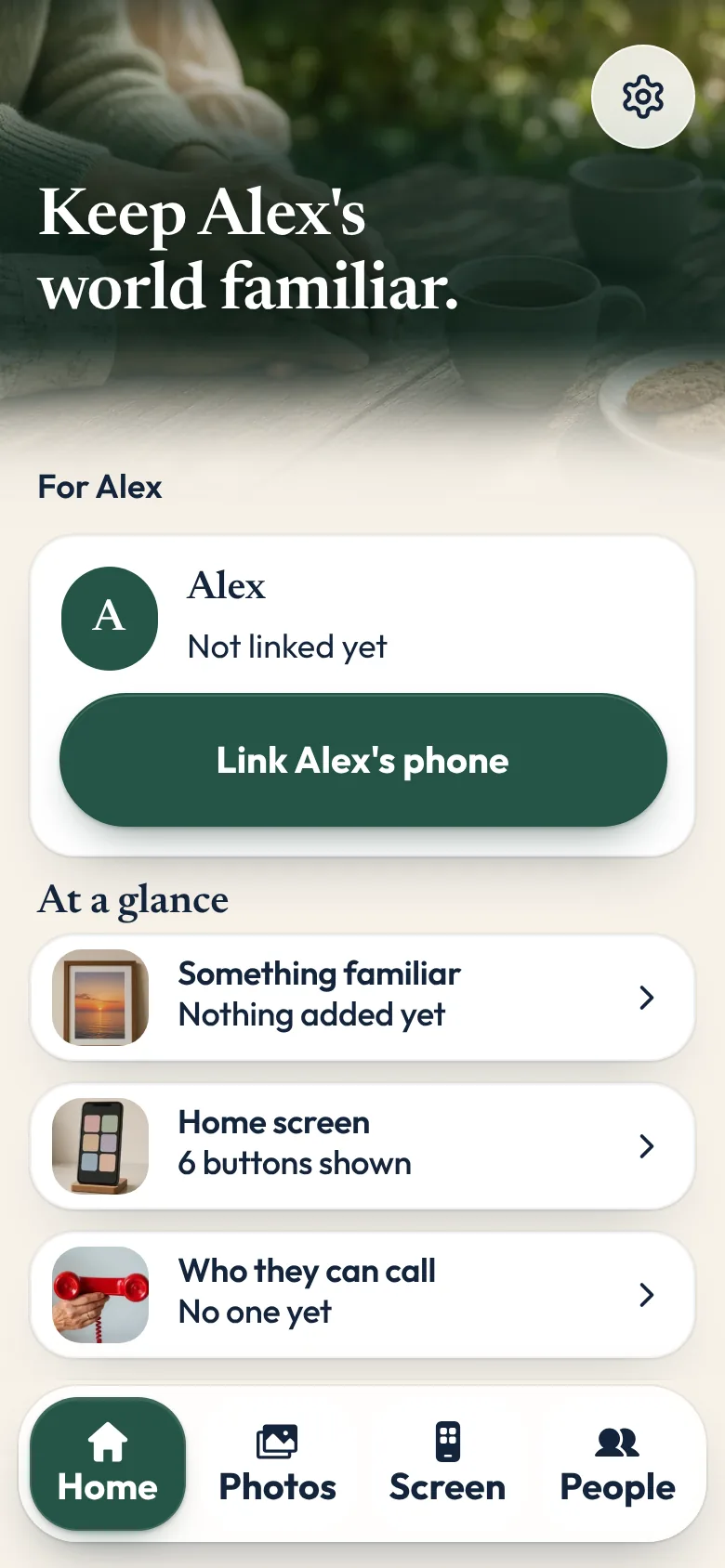
When someone helps
Sunday Visit is complete on its own. When family, a carer or a support worker want to help, the Sunday Visit Carer app lets them pick your buttons and menus, choose who you can call, and share photos, sounds and videos.
To link, open Settings, tap Link a carer's phone, then share an invite link, a QR code or a 6-number code. Several carers can link. Remove any in Settings.
Support workers and care teams can read Sunday Visit for care providers.
Private from the start
There's nothing to sign up for: no account and no password. Sunday Visit has no ads and never sells your information. If the app crashes, basic crash details go to Google Firebase so we can fix it.
Anything you add yourself is kept on this phone. What family send travels over an encrypted connection through Google Firebase. Our privacy note has the details.
A note on health
Sunday Visit is a wellbeing app, built on approaches studied for calm and wellbeing (the research). It isn't a medical device or an emergency service, and it doesn't diagnose, treat, cure or prevent any medical condition. For medical advice, diagnosis or treatment, please talk to a doctor or other health professional.
Questions people ask
Is Sunday Visit only for seniors?
No. It's for anyone who finds a busy phone hard work, including people with disability, people with low vision, and seniors.
Do I need a new phone?
No. Sunday Visit is an app for the phone you have. It works on Android 8.0 or newer, and iOS 15 or newer. It doesn't work on basic keypad phones.
Can it read the words aloud?
Yes. When Read words aloud is on, the phone's own built-in voice reads out the screen you're on, where the phone supports it. It's off when the app is first installed. Turn it on in Settings and help, under How it looks and sounds. In the same card, Reading speed can be Normal or Slower.
Do I need an account?
No. There's nothing to sign up for: no account and no password.
Can someone help me set it up?
Yes. Family, a carer or a support worker can use the Sunday Visit Carer app on their own phone to pick your buttons and menus, choose who you can call, and share photos, sounds and videos. Your phone decides who stays linked, and you can remove anyone in Settings.
Does it replace my home screen?
No. Sunday Visit opens from its own icon, like any other app. Your other apps stay where they are, and you can still use them.
Can I try it first?
Yes. You can try Sunday Visit in your browser, with sample photos and people, before you buy it.
More from Sunday Visit
- The Sunday Visit home page
- Try Sunday Visit in your browser
- How to make a phone simpler for seniors and elderly parents
- Phone settings for low vision: Android and iPhone
- Make a phone easier to hear, or to use without relying on sound.
- A simpler phone, with six big buttons family can set up.
- Set up a simpler phone from a phone you already have.
- Sunday Visit for care providers
- The research behind each part of the app
Something else? The help page has more, or email hello@sundayvisit.com.au.