
How to choose a phone for elderly parents in Australia
The right mobile phone for elderly parents is one they can read, hear and hold, that does the few things they want, and that can call Triple Zero (000) on today's networks. No single phone suits every senior, so start with how they will use it.
Before you buy anything, look again at the phone they have. Its text, buttons and home screen can often be made simpler: our guide to how to make a phone simpler for seniors, without buying a new one walks through it. If they do need a new phone, here is what to check.
Before you buy
- Ask what they want to do with it: calls only, or photos, messages and video calls too.
- Ask the telco to confirm the phone can call Triple Zero (000) on its network.
- Let them hold it, read the screen and hear a call before you buy, if you can.
- Check the network reaches where they live, inside the house as well as outside.
A smartphone or a simple phone?
Most phones for seniors fall into two groups.
A simple phone, such as a flip phone or a big button mobile phone, suits someone who mainly wants to make and answer calls. Real buttons can be easier to press than a touch screen, and there are fewer choices to get lost in. But a simple phone usually can't run apps, and sharing photos or making video calls is hard or not possible.
A smartphone suits someone who would like to see family photos, make video calls or use apps. The screen is bigger, and its text, buttons and home screen can be made larger and simpler. iPhones with iOS 17 or later have Assistive Access, Samsung Galaxy phones have Easy mode, and Google Pixel phones have Simple View.
If they already use one kind of smartphone, even a little, staying with that kind is usually easiest. Moving between iPhone and Android means learning new menus.
Check it can call Triple Zero (000)
Australia's 3G mobile networks have closed. The ACMA says this affects 3G phones, 4G phones that used 3G for emergency calls, and 4G phones that don't support Voice over LTE (VoLTE).
Phones that can't make emergency calls are not allowed to operate on 4G and 5G mobile networks. Telcos must find these phones on their networks, tell the customers who use them, and stop providing service to them.
That matters most for a second-hand phone, an old phone from a drawer, or a phone bought overseas. Before you buy one, ask their telco whether it can call 000 on their network. If you're unsure about a phone they already have, ask the telco about that one too.
Whatever they choose, show them how to call Triple Zero (000) from the phone's own keypad. Don't practise by calling it.
What to look for in a phone for elderly people
- A screen they can read. Try the words at the biggest text size, in daylight and in the evening.
- Sound they can hear. Make a test call. If they wear hearing aids, try the call with the hearing aids in.
- Buttons they can press. Big keys, or big buttons on a touch screen, are easier for shaky or sore hands.
- A size and weight they like. Let them hold it in one hand. A case with a good grip helps as well.
- Easy charging. Keep the charger in one place they know, such as beside their chair or bed.
- A camera, if they want one. They'll need it for video calls, or to send photos back to family.
Phones sold for seniors
Some phones are sold as seniors phones, with big keys, loud sound, or an emergency or assistance button. Before you rely on a button like that, read the manual or ask the seller what it does, who it contacts, and what happens if nobody answers. It doesn't replace knowing how to call Triple Zero (000).
After you buy: set it up together
Set the phone up before you hand it over: accounts, updates, Wi-Fi and the few people they call. Our five-step set-up checklist covers iPhones and Android phones. Then use the first visit for one thing, such as a call to someone they trust. Our guide to helping an elderly parent who is new to a smartphone shows how.
For lessons at their own pace, Be Connected is an Australian Government initiative that builds the confidence, digital skills and online safety of older Australians. It has courses on Android phones and iPhones.
If they choose a smartphone
A smartphone can also have one calm place to start.
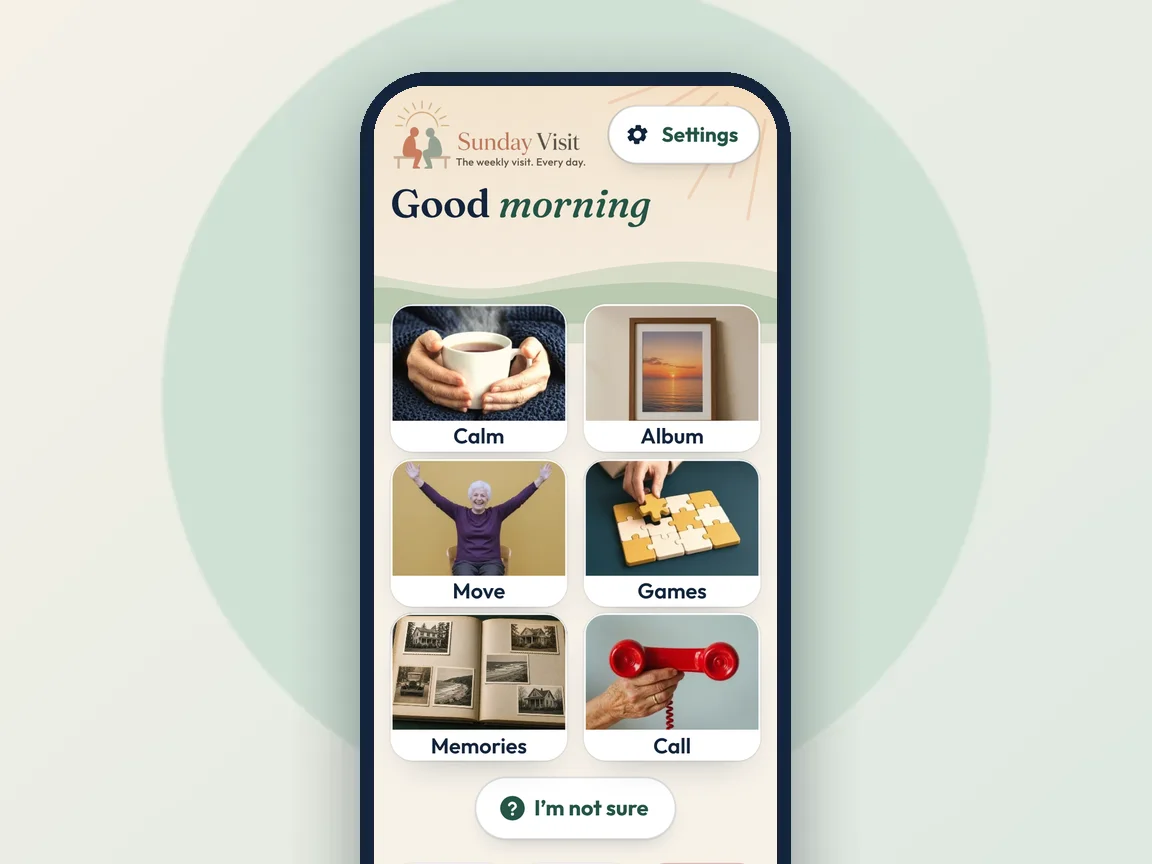
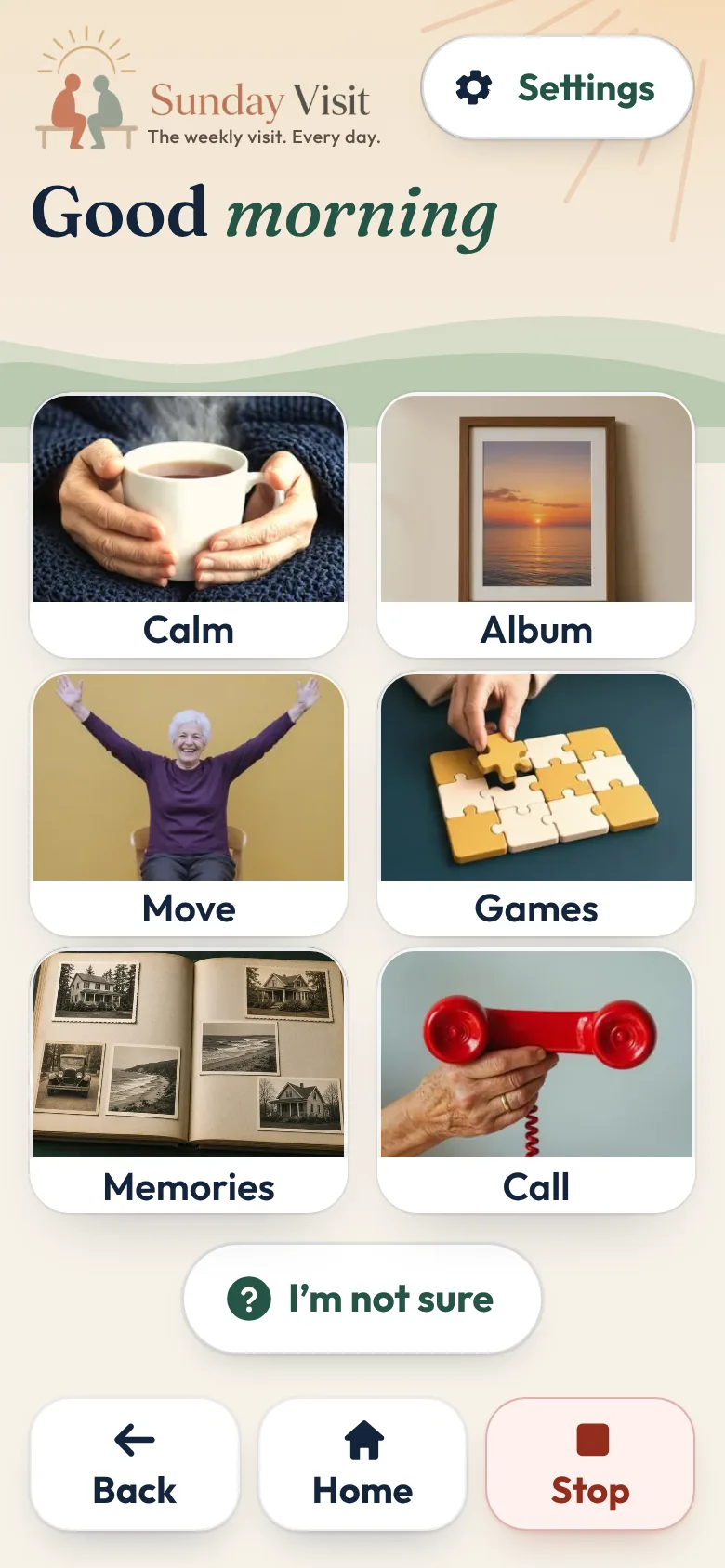
That is why we made Sunday Visit. Sunday Visit is a calm, Australian-made phone app for seniors and elderly people, with six big buttons for gentle sounds, family photos, easy movement, quiet games, memories and calls to people they trust. Family choose what's on it in a linked second app, Sunday Visit Carer.
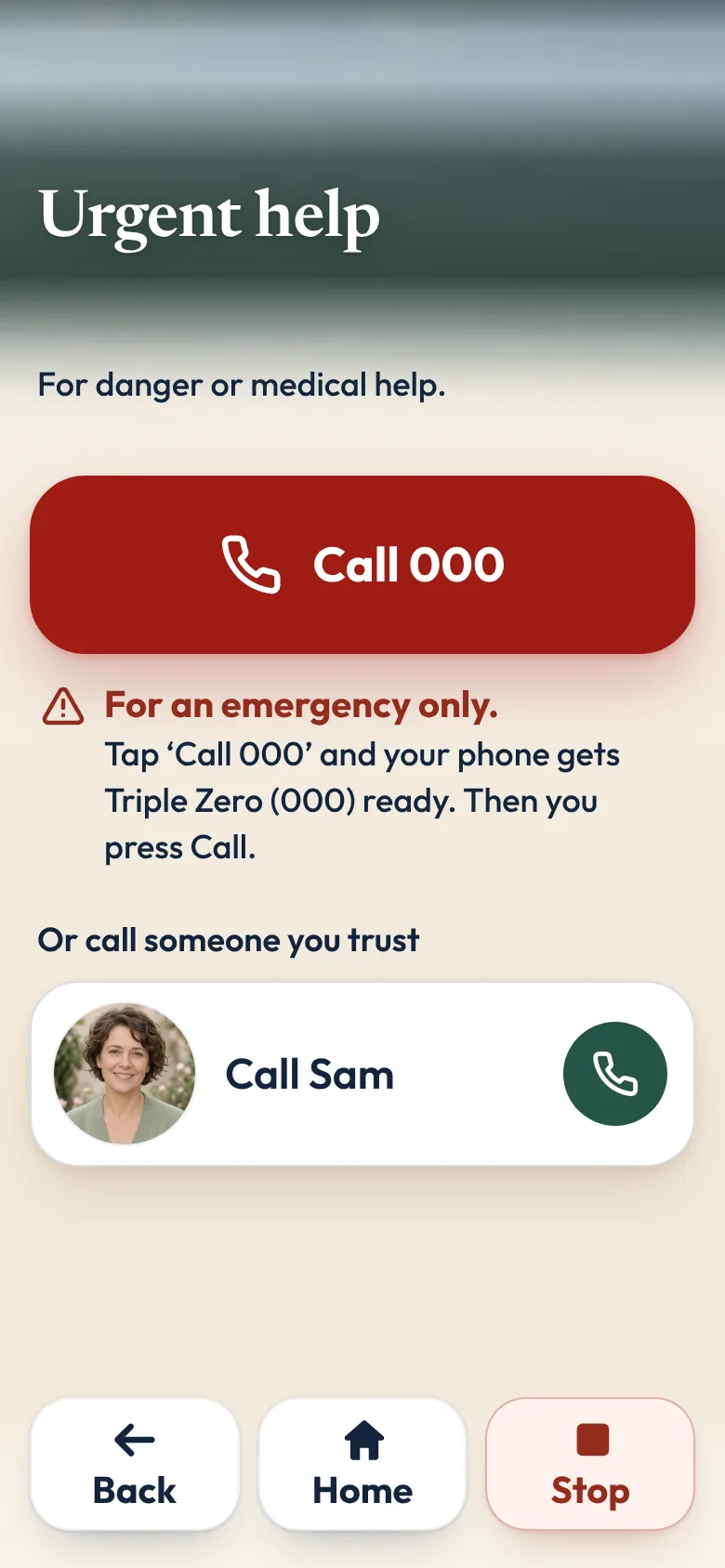
Call shows up to four people. They tap a name, then Call, and the phone's own dialler opens. Words follow the phone's own text size, and there are three text sizes in the app as well. There are no ads and no scores.
In an emergency, call Triple Zero (000), or your local emergency number outside Australia.
It works on Android 8.0 or newer and iOS 15 or newer, so check that the phone you choose runs one of those. It doesn't work on basic keypad phones. Both apps are on Google Play. Get Sunday Visit for their phone and Sunday Visit Carer for yours. You can find them at sundayvisit.com.au.
Questions families ask
What is the best mobile phone for elderly parents?
There isn't one best phone for every senior. Choose one they can read, hear and hold, that does the few things they want, and that their telco confirms can call Triple Zero (000) on its network.
Should we get a smartphone or a simple phone for an elderly person?
A simple phone with big buttons suits someone who mostly makes calls. A smartphone suits someone who wants photos, video calls or apps, and it can be set up with bigger text and a simpler home screen.
Will an old 3G phone still work in Australia?
Australia's 3G networks have closed, and the ACMA says phones that can't make emergency calls are not allowed on 4G and 5G networks. Ask the telco before buying a second-hand or overseas phone.
Do we need a new phone at all?
Often not. Bigger text, fewer apps and their favourite people on the first screen can make the phone they already have much easier to use.
Does Sunday Visit work on a simple phone?
No. Sunday Visit needs a smartphone with Android 8.0 or newer, or iOS 15 or newer. Sunday Visit is on Google Play.
More guides for families
- How to set up a phone for an elderly parent, in 5 steps
- How to make a phone simpler for seniors and elderly parents
- Helping an elderly parent: first visits, one skill at a time
- How to stay in touch with elderly parents who live far away
A simple phone app with six big buttons
Something else? The help page has more, or email hello@sundayvisit.com.au.